2026.02.06 - Maya
The highlight for this release is bug fixes and more intuitive control over limits and shapes.
- ADDED New Example Assets Two new members to the asset library were added!
- FIXED Tense, Restore, Drop and Attach Should have worked, but didn't!
- FIXED Limits and Shapes UI More familiar, tried and true
- FIXED Linux Dead on arrival, now fixed!
- FIXED Misleading AUP Date Visual bug got squashed in this release
- FIXED Draw Size of Assets Another eye-sore patched up
- FIXED Broken Rhino Asset He's all well now!
- FIXED Gizmo Rendering in Wireframe As you'd expect
- FIXED Ineffective Scaling Scaling now works the way you'd expect, with visual feedback to boot
- FIXED Shape Symmetry at Center An odd one, but no longer
- FIXED Hiding Constraints No surprise here. Except for us when we found it.
Overview
A minor patch release, tidying up things noticed by us and you during this first week of 4.0 Early Access.
Enjoy, and find this new version available here.
New Example Assets
Both of these come with Contact Stiffness, which was introduced in the last release (from last week!). Santa makes especially good use of it, coping with both self intersections and intersections with his yoga ball.
Hard Contacts
Try setting Contact Stiffness = -1 to witness the effect!
Santa
Meet George, he's your Santa this year. Yes, he's from last Christmas but got stage fright at the last minute.
Gorilla
Meet Steve, he's your new gorilla asset. He'll dance for you, drop down heights and take any kind of punches you can throw at him.
Shout out to Anton Blane for the original model!
Tense, Restore, Drop and Attach
These instruments wasn't feeling too great, but they've seen the doctor and turns out all they needed was love. 
For example, here's some quick posing.
Use the Bend instrument to revert to the original pose, in local space.
And Restore to restore it in world space.
The Drop instrument applies gravity, which you can use to place characters on the ground. In each of these, you can click-and-drag to control the strength. Neat!
Linux
The Linux distribution of Ragdoll 4.0 was dead on arrival. It has now been fixed!
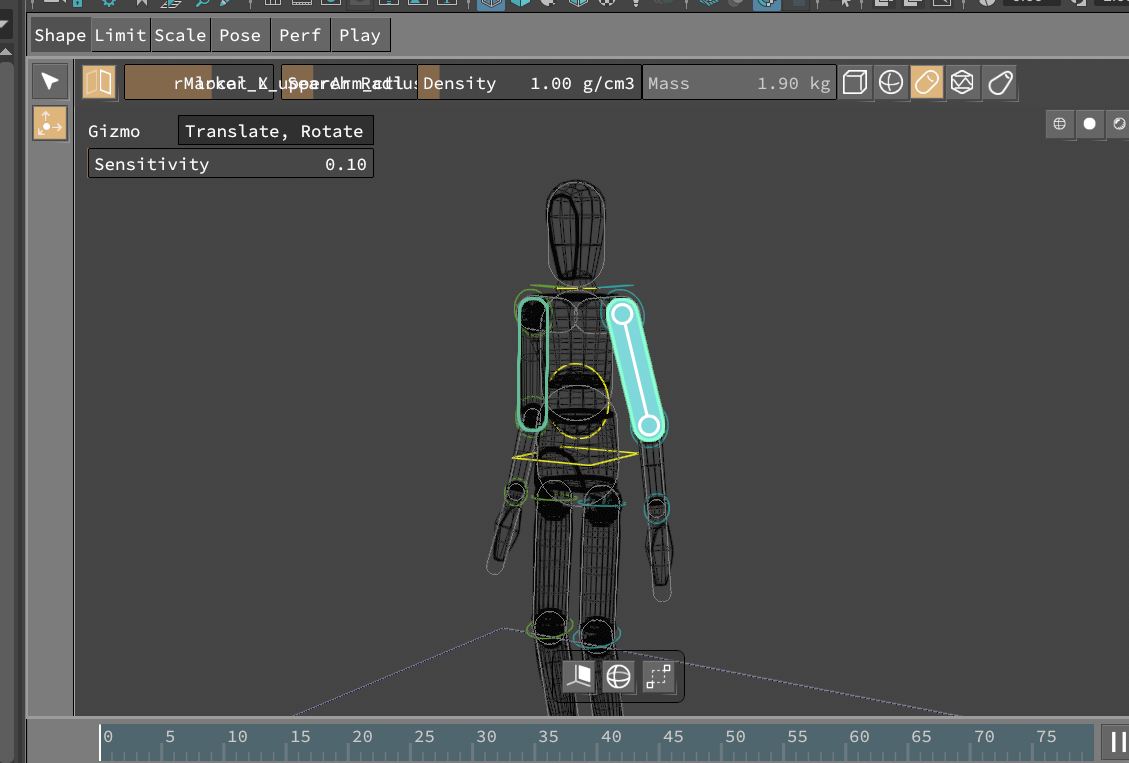
Limits and Shapes UI
The "Quick Options" moved to a more accessible and familiar location, better integrating with the overall UI asthetics and enabling for more interactivity moving forwards.
Shape extents can now be interactively manipulated, with context sensitivity to your selection.
Limits can now much more easily be edited; akin to Ragdoll 3.0 where this worked rather well. Still room for improvement, and it's coming!
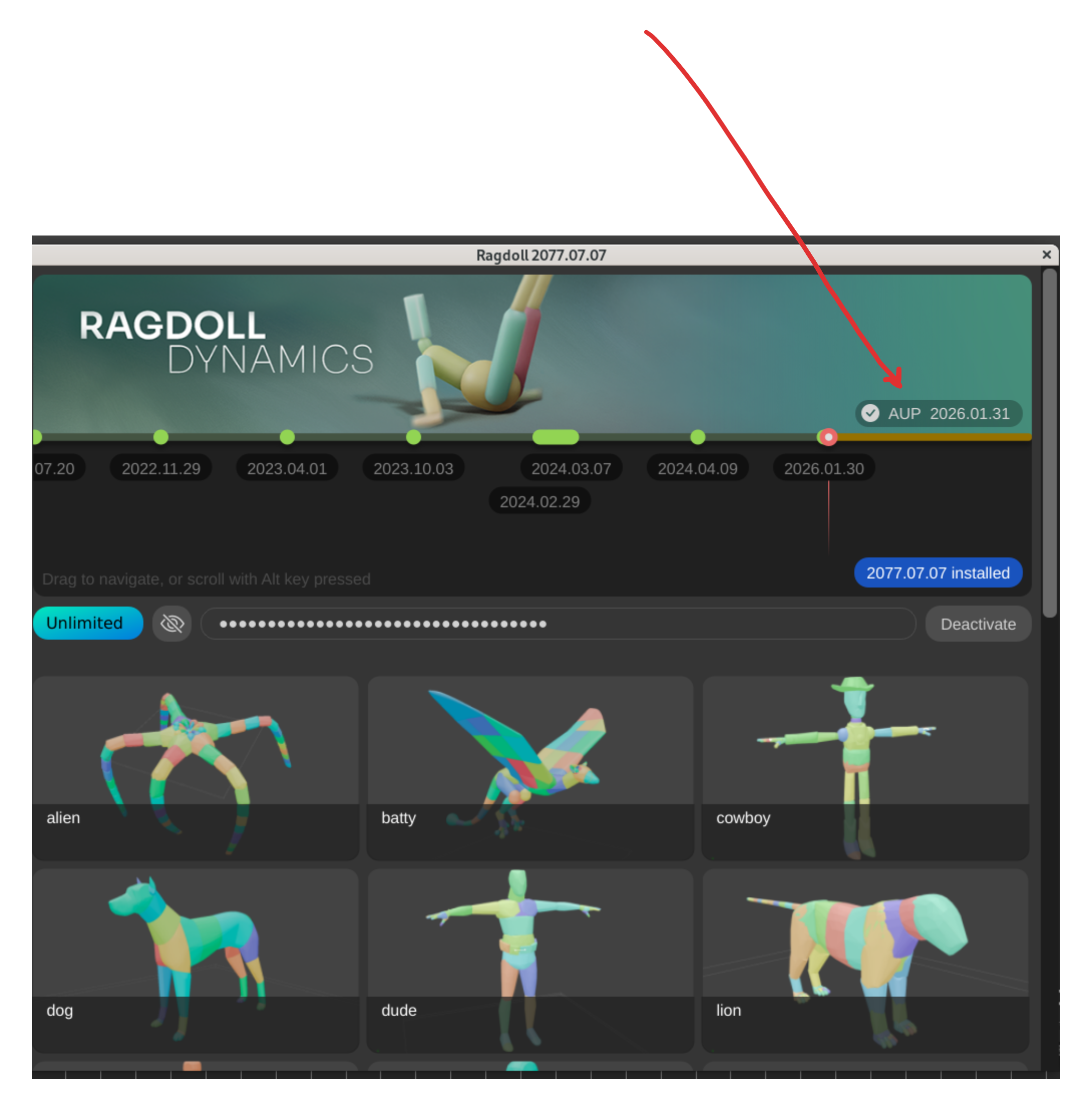
Misleading AUP Date
The Ragdoll UI wasn't sure about your AUP date, always reporting it as tomorrow or today. This has now been patched up!
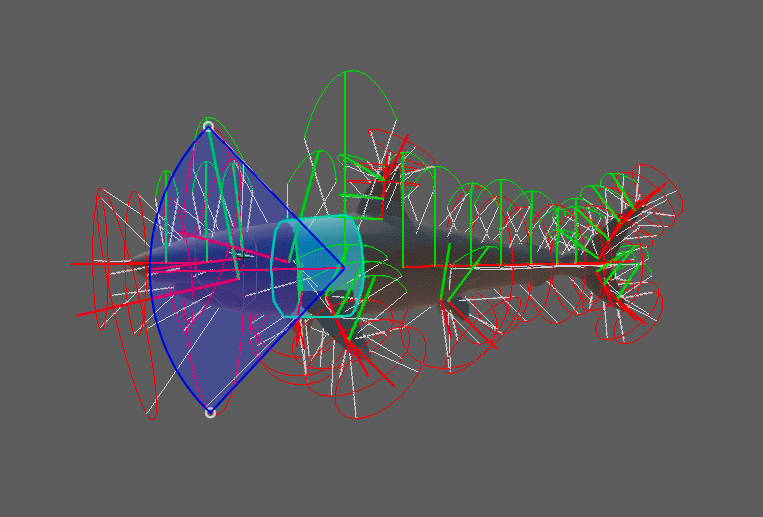
Draw Size of Assets
Some assets had a funky draw size for its limits, like this one. This has now been fixed!
Broken Rhino Asset
This sucker didn't feel too well.
This has been fixed!
Gizmo Rendering in Wireframe
Editing shapes in wireframe didn't respect the Maya wireframe state.
This has now been fixed!
Ineffective Scaling
Scaling in Shape Mode didn't always do what you'd expect..
This has now been fixed, with a slight makeover!
Shape Symmetry at Center
Manipulating multiple shapes, all of which were in the center, with symmetry enabled could result in odd things happening.
This has now been fixed!
Hiding Constraints
You'd expect that if you hid a constraint it would.. well, be hidden. That wasn't the case.
This has now been fixed!
Next Up
Expect more tweaks to the user experience and interface moving forwards, there is lots to improve. We're also embarking on phase 2 on our roadmap, bringing you Ragdoll in a browser and standalone desktop application.
Read More
Stay tuned, and happy Ragdolling!