2026.03.11 - Maya
The highlight for this release is the new destruction workflow.
- ADDED Destruction You can now both create and destroy!
- ADDED Light Gizmo A more intuitive way to control light
- FIXED Personal Forever Personal licences were limited by the annual upgrade program
- FIXED Performance 1000 fps!
- FIXED Distance Constraint Offset The offset wasn't properly saved to the
.ragfile - FIXED Shadow Acne Shadows used to look bad at a distance
- FIXED Scale Shape Undo This can now be undone
- FIXED Capsule and Mirroring Minor visual glitch in the mirrored render of capsules have been fixed
- FIXED Rotate Gizmo Glitch Another minor visual glitch in the rotate gizmo, especially on scaled characters, has been fixed
Overview
A new feature release, Clusters!
Enjoy, and find this new version available here.
Destruction
You can now simulate parts of a mesh as independent rigid bodies, optionally gluing them together with configurable glue strength, via the new rdCluster node.
Meaning you can do this!
How it works
Typically, when you assign a Marker, it will use the mesh for collisions.
If there are "islands" - independently connected chunks of your mesh - then each island gets its own collision "hull", improving the overall accuracy of collisions.
A Cluster on the other hand considers each hull as its own independently moving object.
Mix Markers and Clusters
Clusters and Markers live in the same solver, and interact happily with each other.
Shattering
Ragdoll simulates your shattered pieces but currently does not provide the means to shatter your geometry in the first place. Such as broken glass, broken wood or concrete. This is a topic of its own and many tools already exist.
Until then, here's a short primer on how you can shatter objects the old fashioned way.
- Make a plane
- Make broad cuts
- Make fine cuts
- Combine for simulation
- Extrude for thickness
- Profit
Speedrun
Recording
Typically, Markers are recorded onto the object you assign.
Assigning a cluster follows the same pattern, but instead of recording onto the translate and rotate channels it affects the vertices of the geometry via a typical skinCluster.
And thus, for an object with many pieces, you end up with one joint per piece and worldspace animation.
Post-Recording
Unbind skin and remove joints.
Pose Mode
Feel free to explore pieces and their glue interactively, in Pose Mode. :)
Known Limitations
As of this release, here's what you should expect.
- Forces are unsupported
- Skinned or animated meshes partly supported
- No geometry manipulation tools, e.g. fracturing
- Slow for high-poly destruction, e.g. 10,000+ pieces
Light Gizmo
Standalone
Mostly relevant to the upcoming Ragdoll Standalone, but also the Manipulator user interface.
You can now control the light direction by click and dragging on the new Light Gizmo, in Playback Mode.
You can also click and drag in the 3D scene to control where you want shadows to fall!
Personal Forever
The Ragdoll Personal licence is unrestricted by the annual upgrade, you folk may download and use any version of Ragdoll, now and forever. This has now been fixed.
Performance
Everybody likes performance.
Standalone
Mostly relevant to the upcoming Ragdoll Standalone, but also the Manipulator user interface.
Our interface is entirely rendered on the GPU. But traffic between CPU and GPU still needs to happen and is expensive. Recent optimisations means means we can cover the whole pipeline in less than 1 ms!
(Notice the FPS towards the bottom, especially without shadows)
Distance Constraint Offset
We've now fixed these two issues.
- Loading of a .rag file with distance constraint offsets
- Opening a scene with offsets on a scaled character
Shadow Acne
Now shadows look good no matter the distance.
Before
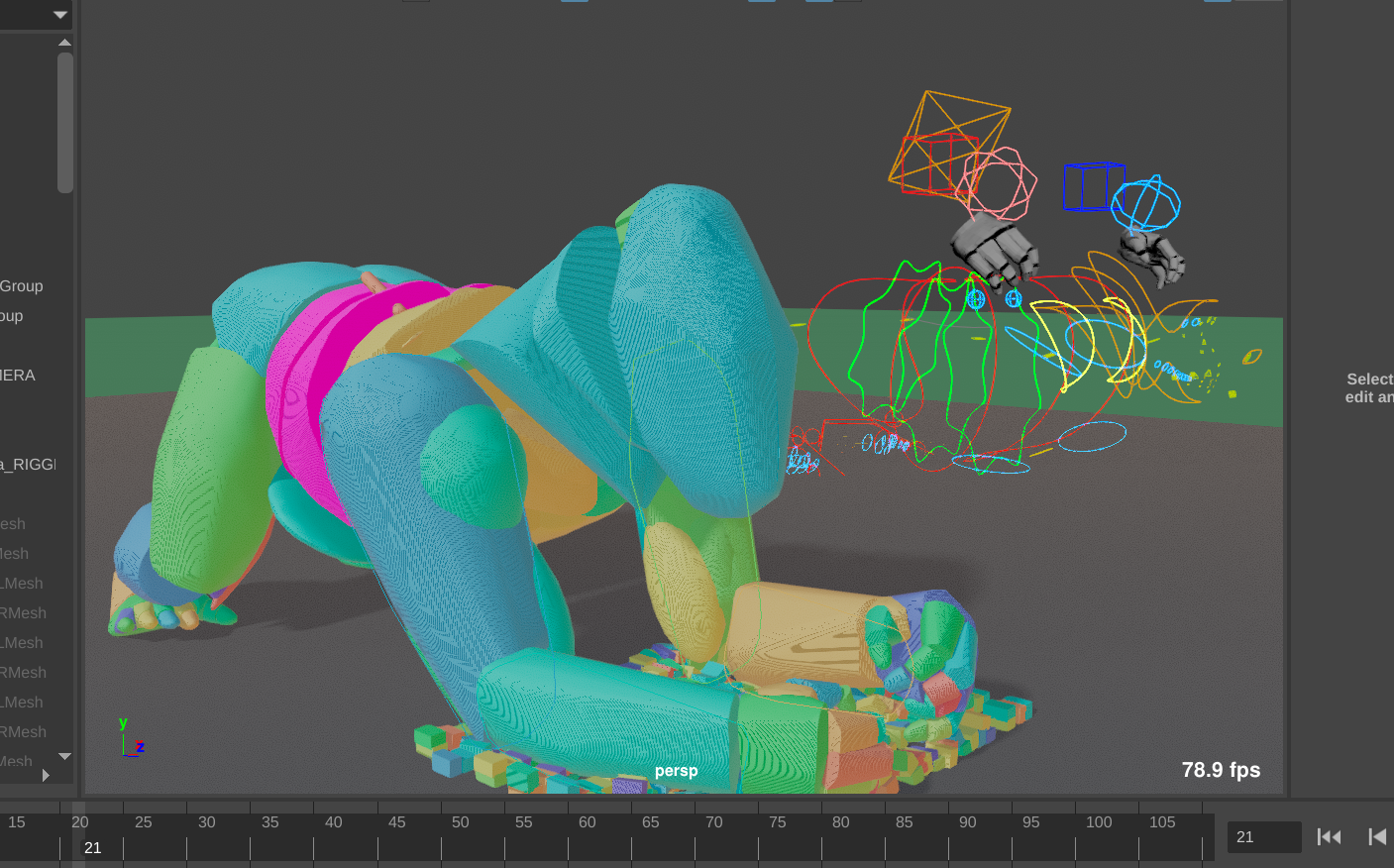
After
Scale Shape Undo
A bug in the scaling of shapes meant it could not be undone.
This has now been fixed!
Capsule and Mirroring
The mirrored side got to have all of the fun.
This has been fixed!
Rotate Gizmo Glitch
Rotating a shape on a scaled character resulted in this, not nice!
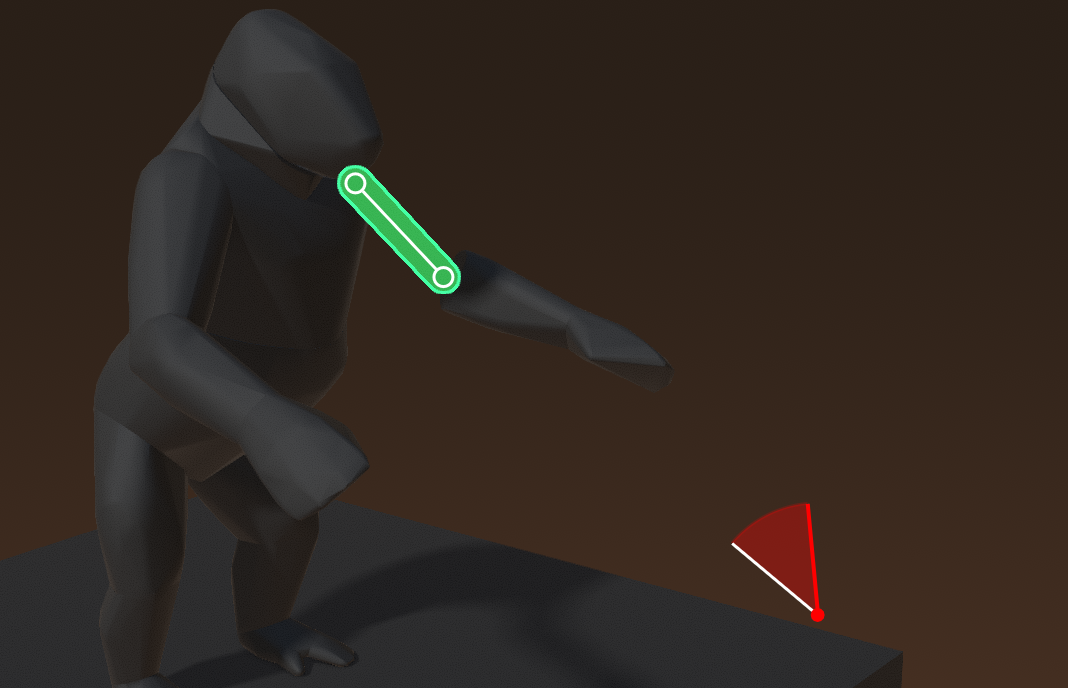
This has been fixed.