2026.01.30 - Ragdoll 4.0
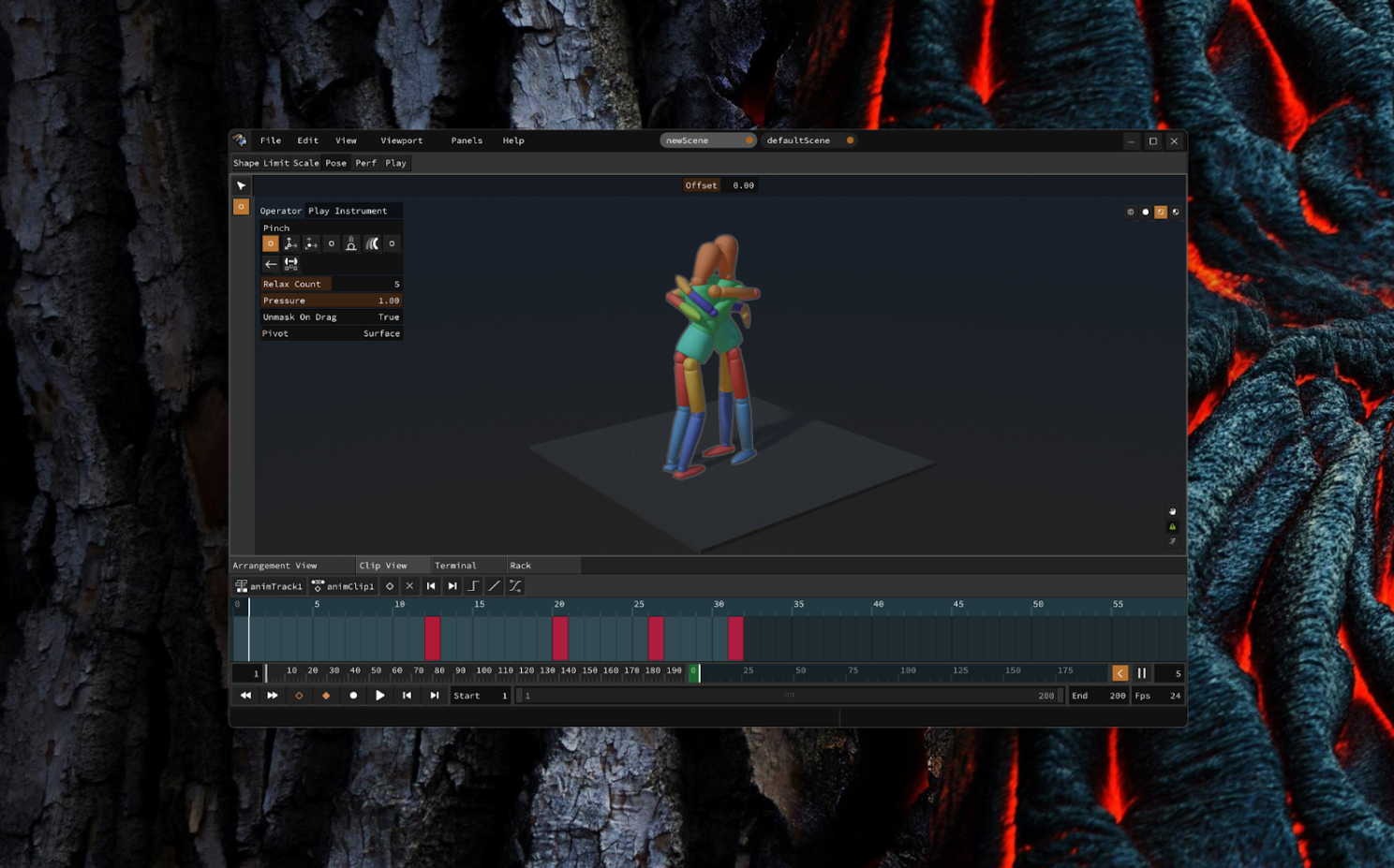
In this article, I'll walk you through the journey since the last major release and what that lies ahead.
Authors
Hello  I'm Marcus, founder and CEO of Ragdoll Dynamics.
Heads up
This is the lengthy version with background and motivation of the recent release for Maya.
- 👉 If you want specifics, head straight to the release notes
- 👉 If you just want to download it, then please go ahead.
Overview
In 2020, Ragdoll started out as duct tape and glue. A thin wrapper around the stable foundations of a physics engine for a single customer, Anima in Japan.
Within in its first year of life, this "cardhouse" of a project was replaced with wood and nails in the form of Ragdoll 2.0 and "Markers". Then with Ragdoll 3.0 came stone; robust, capable of greater heights and more granular change. But still a tedious and limited process, unable to reach the heights we've set out for ourselves.
Within this analogy, Ragdoll 4.0 is made out of metal. Industrialised, redesigned to support the next decade of development, with components that make it entirely independent of its former hosts - Maya and Blender - and within a plug-in based and highly performant architecture that I'm excited to share with you today.
The next release will follow the pattern of Markers back in 2022; a piecewise release with parts made available as they become ready.
These parts are as follows.
| Part | Piece | Content |
|---|---|---|
| 1. | Maya | The familiar plug-in, for film and games production ← (today) |
| 2. | Posing | Desktop and Web, for illustrators |
| 3. | Keyframing | Pose-to-pose and stop-motion animation |
| 4. | Recording | A novel clips-and-tracks, MIDI-inspired animation workflow |
| 5. | Modeling | Sketch your vision in 3D, fast |
| 6. | Rigging | Setup existing 3D models directly inside of Ragdoll |
| 7. | Puppeteering | Incorporate additional hardware for real-time performances |
| 8. | Blender | A refresh of the Blender integration |
| 9. | MoBu | A new contender for Motion Builder users |
Personal Note
I have it in my notes from 2021 that Standalone was to be released in 2023, and that by 2024 we'd have 10 million customers. Ah, youth. :)
Little did I know that as a project grows, the amount of detail grows with it, and each detail has a beginning, a middle and an end - a process. Like the shape of the menu buttons or behaviour of multiple viewports. Each detail needs thought, design, refinement and testing.
In other words, it went from a bonsai tree to a full-on oak tree.
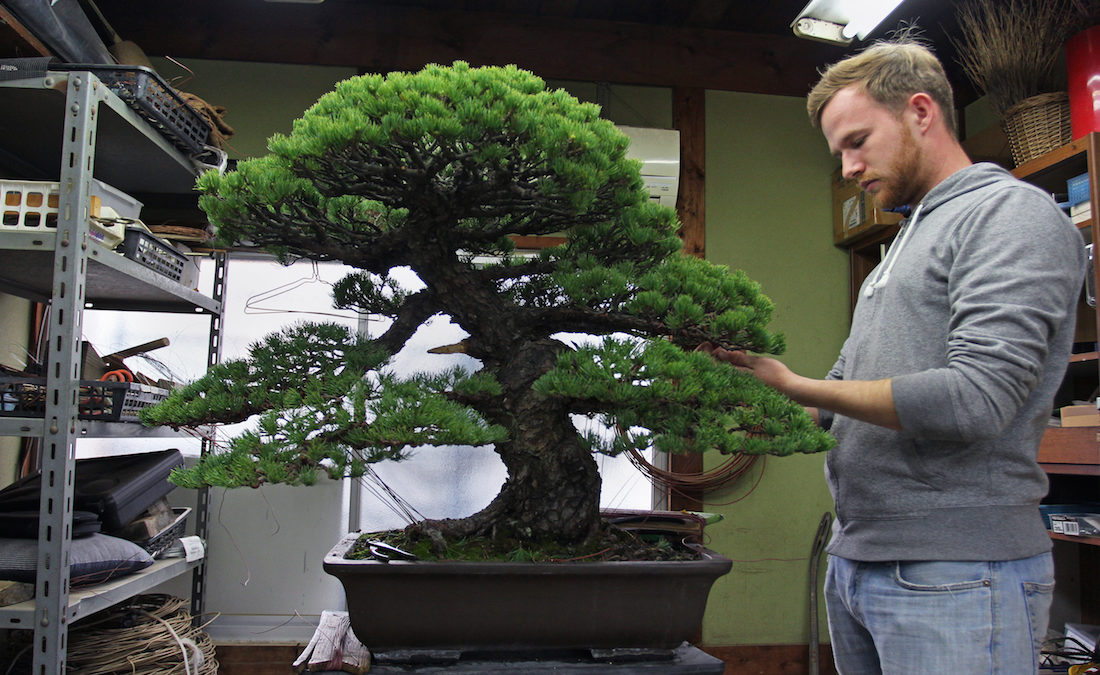 |
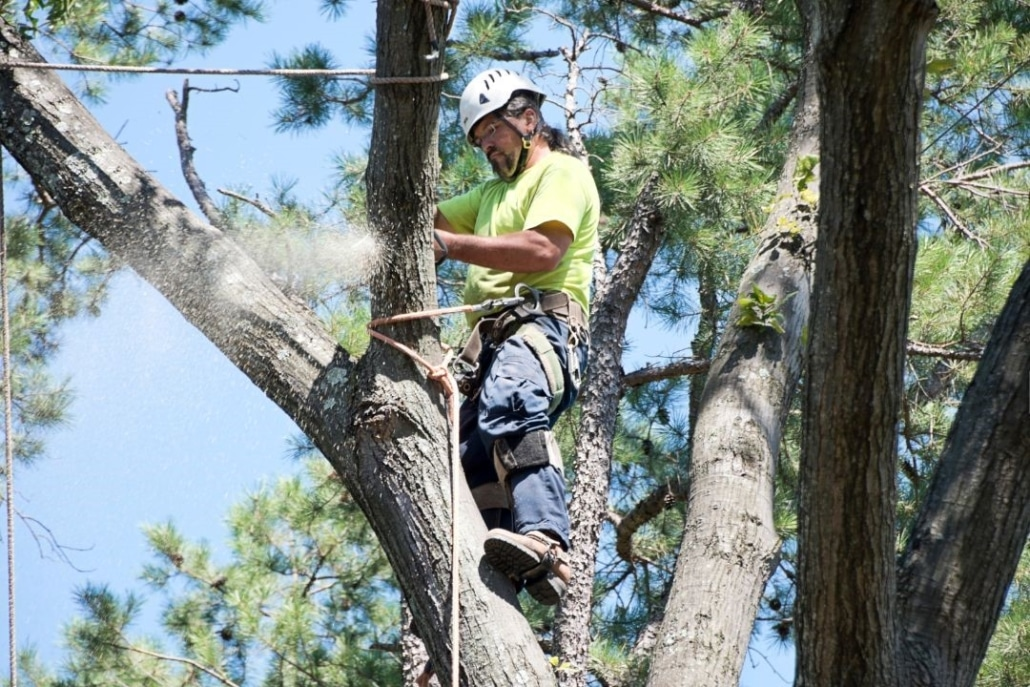 |
|---|---|
| Before | After |
The challenge shifts, techniques differ.
No longer can I sit comfortably at my desk trimming branches, with full-view of the whole tree. I now need to plan my approach, with ladder and gear. While up in the tree, all I see is the branch right in front of me. It's only when I climb back down and retreat to a distance that I can renew my understanding of the tree as a whole.
But grew it did, and as it does new doors open. We are now capable of more depth in production workflows and greater breadth in who we can support; new animators. It is my aim to not only serve our existing market, but to grow it. To be the first encounter with character animation for artists young and old.
Not necessarily by making the process any easier. But by making it fun. Easy is boring. It does not grow alongside your vision and passion. Complex things are complex because simple things are boring.
Take for example the jukebox and the violin. How much time is invested and joy extracted from the violin globally, each year? 10,000 units? Now compare that to the jukebox, 5 units? The jukebox offers empty calories, instant gratification. At the expense of an unquenched thirst for progress and experience.
Is that in reference to..?
Yes, this is somewhat a stab at AI, I'll cover that below. Buhlieve that!
Let's dive in!
Pieces
The individual pieces, effectively the roadmap, of Ragdoll 4.0.
Hint
Click on a piece to jump to it.
 |
 |
 |
|---|---|---|
| Maya Plug-in | Posing | Keyframing |
 |
 |
 |
| Recording | Modeling | Rigging |
 |
||
| Puppeteering | Blender | Motion Builder |
0. Architecture
The biggest change to Ragdoll is invisible.
Gall's Law
A complex system that works is invariably found to have evolved from a simple system that worked.
We've leaned heavily on Maya for the first few iterations of Ragdoll. Rendering was done in Maya, keyframes and geometry was all delegated to it, because it did it well. But as we progressed towards our own independent solution, more and more of the layer we've depended upon needed a layer of its own.
And that's what we've been working on.
We've effectively built an engine with which to build and run Ragdoll, so as to facilitate the growing vision and growing team of developers behind it.
Some of the things that have come into existence that you'll likely never see (but that I'd love to talk more about!):
| Component | Description |
|---|---|
| Scene and Dependency Graph | For performance and taking advantage of your hardware |
| Input and Event Handling Pipeline | For mouse, keyboard and beyond |
| Hotkeys and Commands | Called "operators", to handle undo/redo and facilitate the UI |
| Bespoke UI Framework | Built on Python, ImGui and Yoga |
| Dynamic Widget API | For interactive gizmos, with inspiration from Blender |
| Immediate-mode 3D Rendering Pipeline | Called im3d, for interactive elements in 3D, drawing inspiration from ImGui |
| Physically-based Rendering Pipeline | For raytraced soft-shadows and image-based lighting amongst other things |
| Camera and Multi-viewport Pipeline | Expected and standard, but no less difficult to solve! |
| Animation Pipeline | To store and process keyframes and facilitate millions of user inputs played back at real-time |
| Real-time Instrument Backend | To interactively process input from hardware and facilitate the many ways in which you will be interacting with characters from now on |
1. Maya
Familiar yet refreshed.
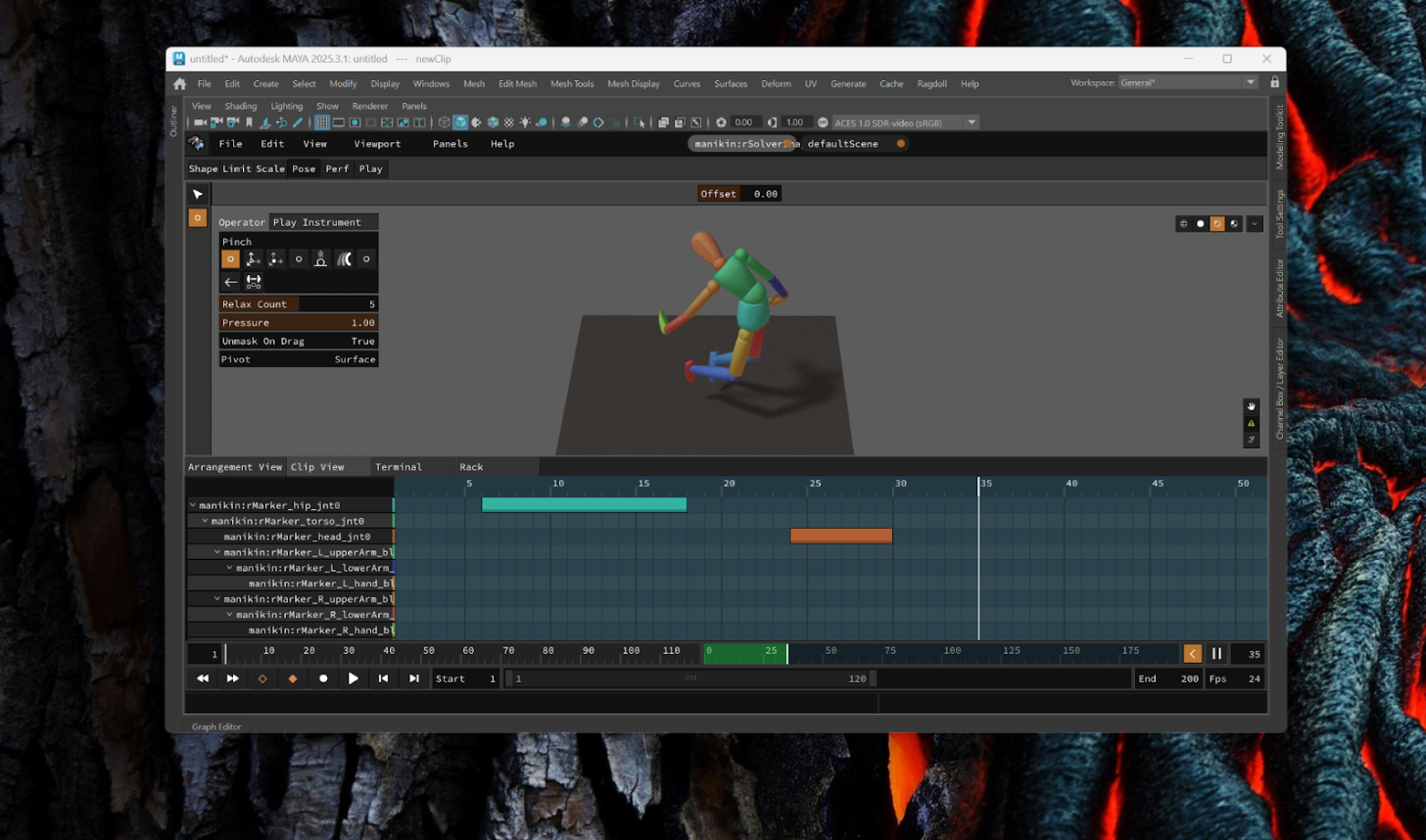
The Maya plug-in is what facilitates production-grade rigid body simulation for film and games. The quality of output, the performance and deep level of control and integration into the most complex of production pipelines are still unmatched after almost 5 years since inception.
Read More
2. Posing
The Maya plug-in, minus Maya. For Windows, Linux and MacOS, Desktop and Web, with a minimal usecase fit for illustrators and concept artists.
Usecase
- Illustrators
- Early Birds
Removing Maya highlights the many things necessary for a digital content creation application to be useful, such as the lack of keyframes or to even create characters.
What this does provide is the means of exporting from Maya (both Ragdoll 3.0 and earlier and 4.0) and opening these in Ragdoll Standalone for use in illustration workflows, similar to the following freely available tools.
The difference being that (1) posing is based on the same physically-based interaction, with support for contacts and limits and gizmo-free click-and-drag interface and (2) it extends to keyframe animation and more in the coming versions; acting as a gateway for illustrators into the world of character animation.
Adventurous and technical users will be able to craft their own tools ("instruments") to aid in posing via our native C++ or Python-based API, that looks something like this.
class SimpleTenseInstrument(base.Instrument):
    """Apply torque externally, as opposed to via a joint"""

    name = "simpleTense"
    icon = icons.Tense

    def valueChange(self, event):
        fn = rd.fn.Physics(event.scene)

        child = event.note["child", rd.kEntity]
        link = fn.getLink(child)

        ani_mtx = child["inputMatrix", rd.kMatrix4]
        sim_mtx = link.getPose()

        delta_mtx = sim_mtx.inverted() * ani_mtx
        delta_quat = delta_mtx.rotation()

        axis = delta_quat.axis()
        angle = delta_quat.angle()

        kP = 1e1
        kD = 1e0

        # ensure shortest rotation
        if angle > math.pi:
            angle -= 2 * math.pi

        rot_error = axis * angle

        link = fn.getLink(child)
        omega = link.getAngularVelocity()
        inertia = link.getMassSpaceInertiaTensor()

        # scale kP per axis
        torque = (rot_error * (kP * inertia)) - (omega * (kD * inertia))

        link.addTorque(torque, rd.types.kImpulse)

        return rd.kSuccess
As a standalone application, it is preliminarily suitable for automation too. Such as passing a set of animations to it, and getting simulated output in return.
3. Keyframing
Without Maya, we need some way for artists to author poses that change over time. But we wouldn't want to repeat what Maya already does, because Maya already exists.
Instead, keyframes are limited to full-body, pose-to-pose animation suitable for stop-motion and cartoon-style results. A foundation for the subsequent step, recording.
Poses are created via the aforementioned "instruments" and interpolated in world-space, as opposed to local-space. Meaning predictable interpolations at the expense of control.
4. Recording
This next part requires some explanation, so let's take a step back into my past. 
In my youth, I made music. A lot of it. It was my favourite past-time. I would alternate between Maya and Ableton Live every day - animation, music, animation, music. And early on, it became obvious that these two worlds - which seemed so different - share more than they differ.
- The both deal with rhythm and timing
- They both happen across time
- They are both about crafting an emotion, about telling a story
- And they both combine technology with creativity
And yet the workflows evolved very differently. Music embraced spontaneity and live interaction. Animation did not.
To bring characters to life, we evolved to expect tools like..
- The 3D viewport
- The translate and rotate gizmos
- Keyframes
- The graph editor
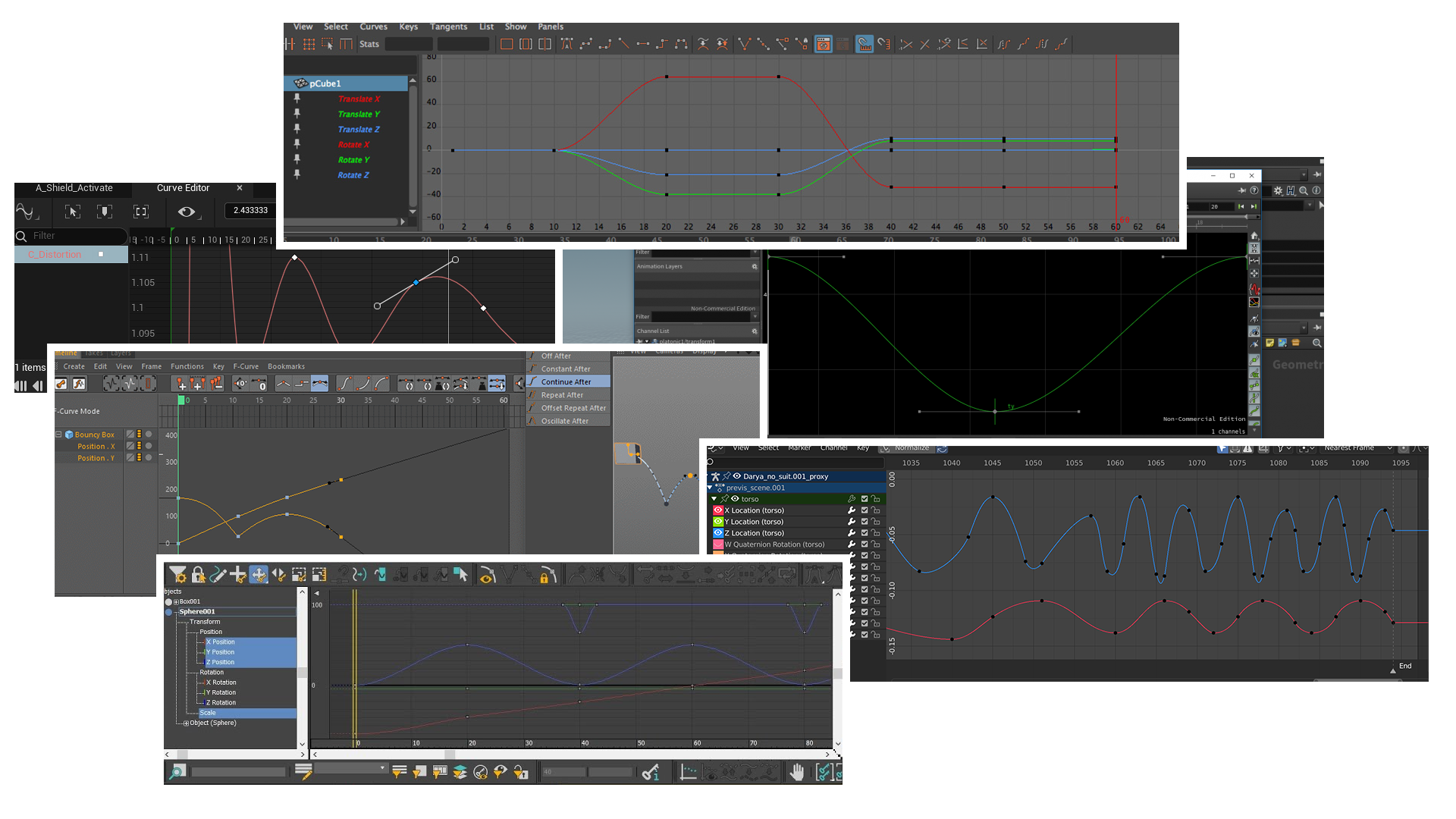
A collection of Curve editors, Maya, Blender, Houdini, Cinema4D, Motion Builder, 3DS Max
To bring music to life, musicians evolved to expect..
- The Instrument
- MIDI
- Recording
- Effects
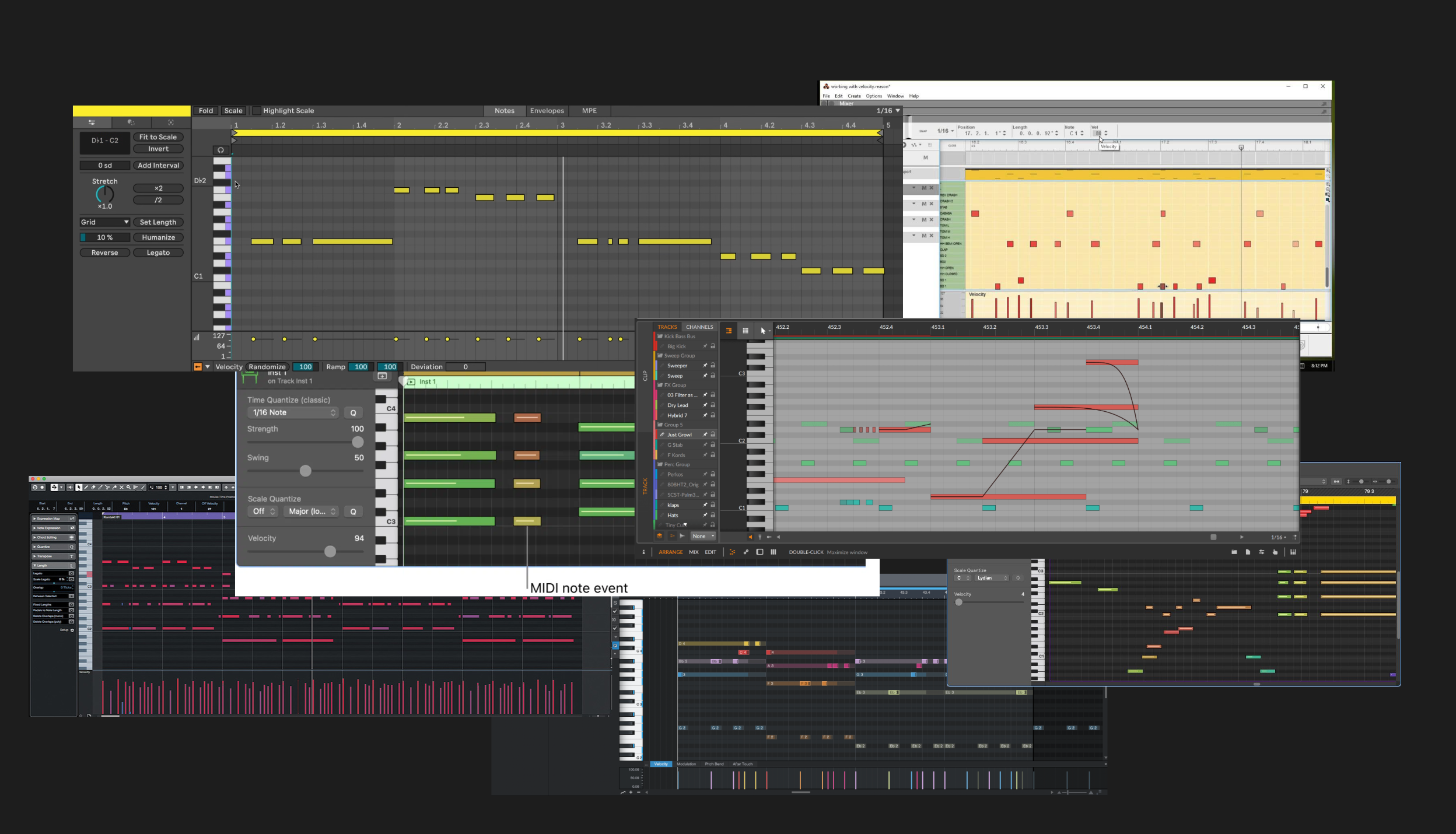
A collection of MIDI editors, Ableton Live, Bitwig, Cubase, Reason, Pro Tools
Similar creative intent. Different tool evolution.
What if we could adopt these tools and methods from the music industry? What if we could animate like a musician?
The Instrument
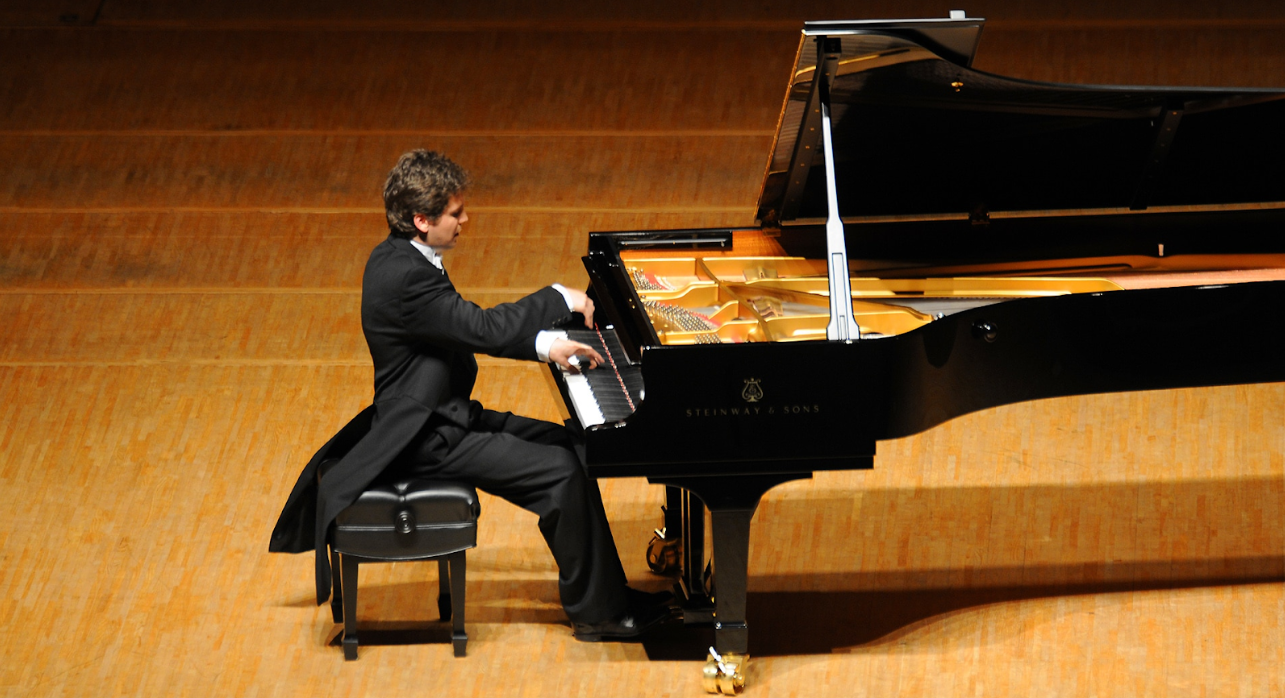
Musicians developed "the instrument". Perhaps the most obvious. It's what you use to produce sound. It can be a piano. A flute. A drum. A pot or pan. Your hands. That kind of thing.
MIDI
Since music production became digital, instruments became signal emitters. Where each event is the start and end of a key on for example a piano.
These events are called MIDI.
Here's what that looks like inside of Ableton Live and virtually every digital audio workstation (DAW).
Like our precious graph editor, time runs along the horizontal axis and value along the vertical. Value in this case being which key is pressed at that particular point in time.
Effects
Something rather unique to music that we aren't seeing in animation is effects. Post-processing of the sounds produced by the instrument. In music, they are just about as important and influential as the instruments themselves. Things such as reverb and delay.
Notice in the following clip (sound on) how dialing the "Dry/Wet" ("on/off") changes the "feel" of the sound.
What would effects look like in the context of animation? What would reverb look like? The effect of making a sound appear as though it was played inside of a church or a cave. What about delay, like the effect we just heard here? What about some more animation-centric effect, like balance to straighten out a pose, or wind to change the setting?
5. Modeling
Have you ever...
- Wanted to animate something but didn't have the model nor rig that fits this idea?
- Hunted for rigs online, in the hopes of finding something that fits your idea?
- Made due with whatever rig you happened to already have or found online, and based your idea around it instead?
That's absurd! Few disciplines require artists to limit their vision to the vision of other artists, and yet that's what we animators must do. Our work has been so heavily pipelined that we cannot work without both modeling and rigging artists having paved the way for us ahead of time. Often time a script writer and concept artist too.
And it didn't used to be like this; 2D animators could (and still can) pick up a pen and paper and start creating both story, concept, model, rig, animation, lighting and cinematography all in one go.
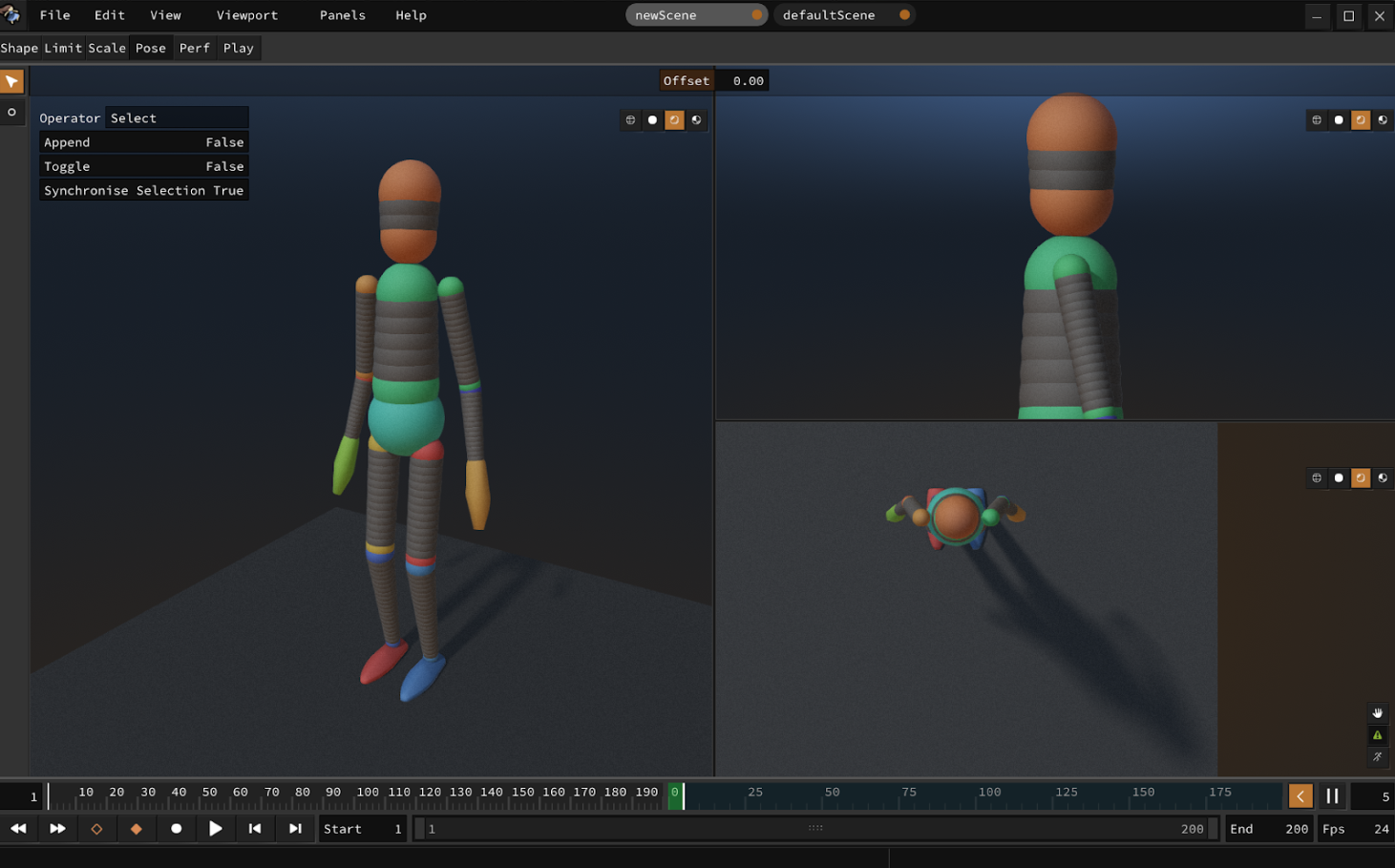
That's why Ragdoll will provide the means to sketch out your character in the form of a hierarchy of shapes. We've already proven that good animation is indpendent of form and detail; it's all in the motion. So even with the most simplistic form will you be able to animate and tell your story, no pipeline required.
The workflow will be as follows.
- Open a new scene in Shape Mode
- Create a sphere
- Drag to extrude a second sphere, representing the torso
- Drag from hip to extrude a third sphere, representing both legs (with symmetry)
- Continue dragging and moving shapes, symmetrically, to shape your creation
- Switch to Pose Mode and go at it
6. Rigging
What if you did have a model? What if modeling was your favourite past-time, or you found something online that you really wanted to animate but had no rig, or a rig you didn't like or one not suitable for animation at all? What are you supposed to do, start rigging?!
That's equally absurd. That's why Ragdoll will include the means to import a mesh and "model" it like above, except this time your "model" drives the imported geometry. This will again be a click-and-drag type workflow; no rigging required.
7. Puppeteering
Ok, so you've got a standalone application, you are able to model and rig your own characters and simulate them in real-time. What's missing now is real-time control.
This is where Ragdoll will facilitate steering of your characters to tell your story live and in front of an audience.
This too will benefit from some background and history, so let's dive in.
Hardware
Musicians operate in real-time.
But all we've got is the mouse and keyboard. A piano is laid out in ascending order of pitch, a flute incorporates the pressure of your lungs and some digital instruments incorporate per-finger pressure sensitivity to stream as much data as possible from your brain to your computer.
And your fingers are capable little buggers, like really capable.
Take a look at this guy for example. How many bits per second do you think this guy is transferring via his finger tips?
Towards the end there, that's about 5 keys per second per finger, multiplied by 10 fingers and he's not just controlling the on and off state, there's per-finger pressure to each key and he's got 2 feet working at the same time. There's just no way we could ever hope to get close to this level of data transmission with our beloved mouse and keyboard.
Improvisational
And with information streaming from your mind this rapidly, animation could become improvisational. And when animation is improvisational, a few new possibilities open up. Like, theatre.
Listen to this, this is a behind-the-scenes of "Life of Pi on Stage" from 2024 here in London.
I could replace this footage with a Maya viewport and a graph editor and the voice-over would still make complete sense. We are the same people, working towards the same goal.
Here's a more recent example that hits closer to home; from Jon Favreau's Prehistoric Planet.
These guys are onto something. There's something unique about capturing animation interactively and in real-time that you lack being locked away an offline and piecewise workflow.
Then there's Avatar, where they motion captured the performance under water.
In this case, you get the detail of underwater interaction to heighten the realism of each shot; something very challenging to achieve by hand. Our eyes are highly tuned to recognise - often subconsciously - minor oddities in the way things move. Especially when without contact to the ground, as many interactions could otherwise be explained away as coming from that contact.
These were mostly behind-the-scenes kind of things, things you never actually see. But now have a look at this.
This is from a puppet show called "Peter and the Wolf" in Germany. There are a handful of puppeteers above the stage controlling each puppet. Now, the Germans really do know their puppetry; this is world-class stuff. But they work within the limitations of their medium, in this case string puppeteering.
Now look at this.
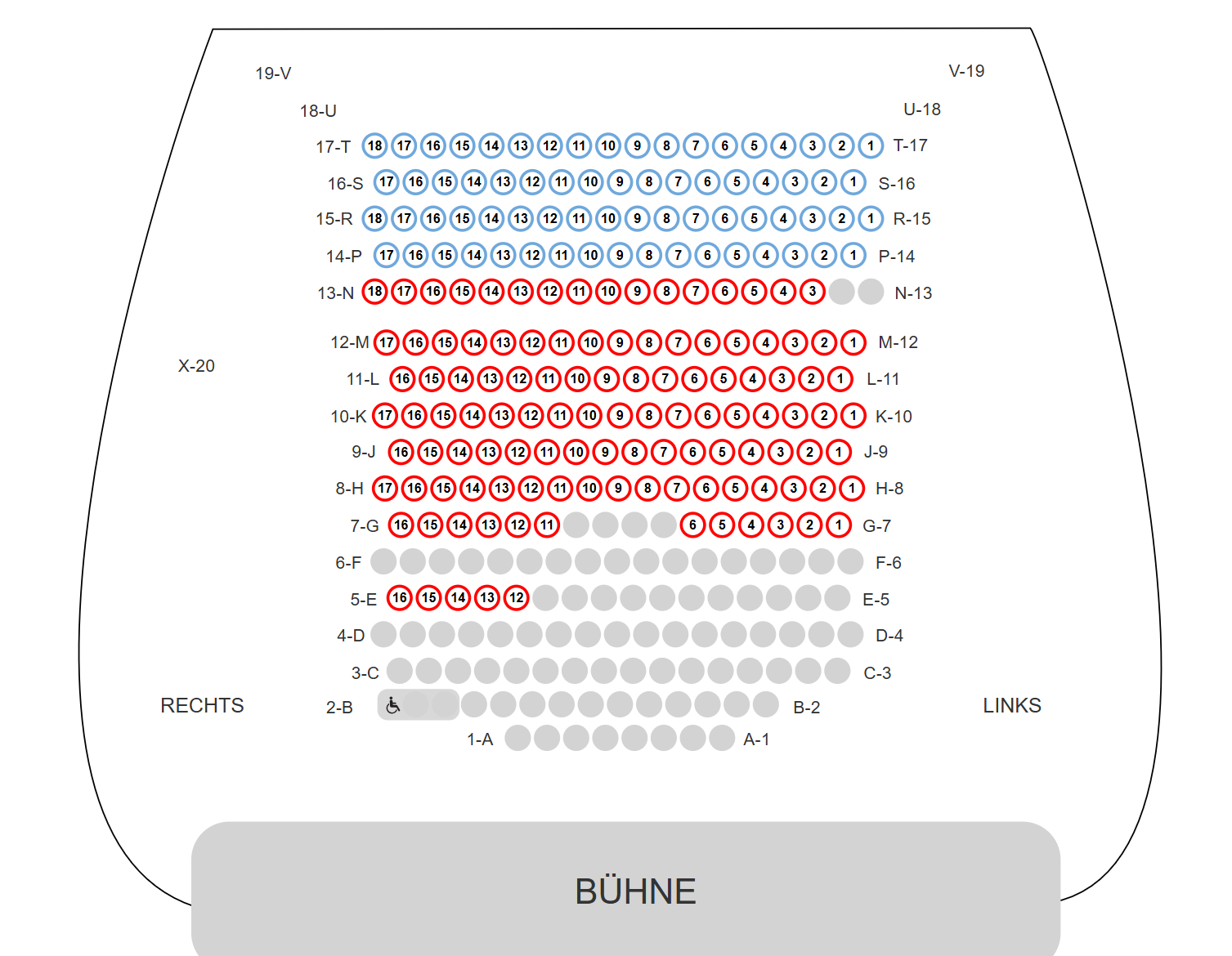
This is the seating for this show. There are 300 seats in there, at £30 a piece. That's £9,000 for a 1 hour performance. This stuff draws a crowd, and it is not the only one, as you'll see in a moment.
Now we'll have to use our imagination; keep the puppeteers, but swap out the stage for a screen and the characters for something a little more modern.
This is the excellent work of Carlos Puertolas. This particular one I believe is animated in real-time but then rendered offline.
Here's another excellent example from the pioneer in the artistry of digital puppeteering, Ryan Corniel.
And another.
Neither of these are animated with a mouse and keyboard, instead they use VR controllers.
Here's an example of what that could look like, from a demo given by David Chiapperino.
You can see how the two controls are mapped to certain aspects of the character, with buttons controlling the facial features.
The VR controller is an obvious candidate for controlling puppets. The problem is you are still wasting a lot of fidelity. As we've seen, your arms, hands and fingers are capable of so much more data throughput.
That makes animating with VR controllers akin to that piano scene in Big, where you use your whole body to play a single note.
We want something more. There must be better options for data transfer between your brain and the character(s) on screen.
One possible option is something most of you already know; multi-touch.
Here's an example from an early prototype of Ragdoll, where each finger maps to some part of the body. In this case using the multi-touch capabilities of a Wacom tablet.
At the end of the day though, I expect the ideal hardware for transferring ideas to digital puppets in real-time simply does not exist yet. The music industry is way ahead of us on this one; with decades of research and development. And that's another thing from Ableton from which I'd like to draw inspiration; bespoke hardware.
Ableton makes this device, which is a physical replica of their digital user interface. You can use it as a keyboard, like in this video here, or it can represent tracks and clips, to compose a song by triggering them in real-time. Kind of like a DJ.
Not new
And this idea of bespoke hardware is not new either - the Jim Hensen company has been doing this for decades already.
Here's a clip from SIGGRAPH 2024 walking you through their design.
Notice the big glove on one side and a joystick on the other. Each map to some attribute of the character they're animating, alongside some pre-canned animation loops on wings and limbs.
Here's another example of the ingenuity applied to achieve animation.
Hard to find the original for this, but I think this is the same artist. - https://www.youtube.com/watch?v=h7FvD7H1uus
Each of these examples I've shown you are at the tip of the spear. The peak of what we as an industry - as humanity - has been able to come up with.
But consider what you've seen so far. Image quality has evolved over the past 30 years, as evident by the games we play and movies we watch. Hardware is getting more capable, we didn't have VR controllers capable of this level of precision 5-10 years ago. Things are progressing.
But the animation - the results - are effectively unchanged.
This is a clip from Sesame Street, from 50 years ago. The animation is still, to this day, cutting edge. Better, in some ways. We still struggle with cloth running in real-time.
This is what I would like to explore. I believe that given the technology at our fingertips today, we can unlock many of the limitations traditional puppeteers deal with to produce material better than that of the best animators using the traditional methods we have today. It can be far less technical and far more creative.
And I think the music industry holds the key.
ABBA
Here's one final example before putting our feet back on the ground.
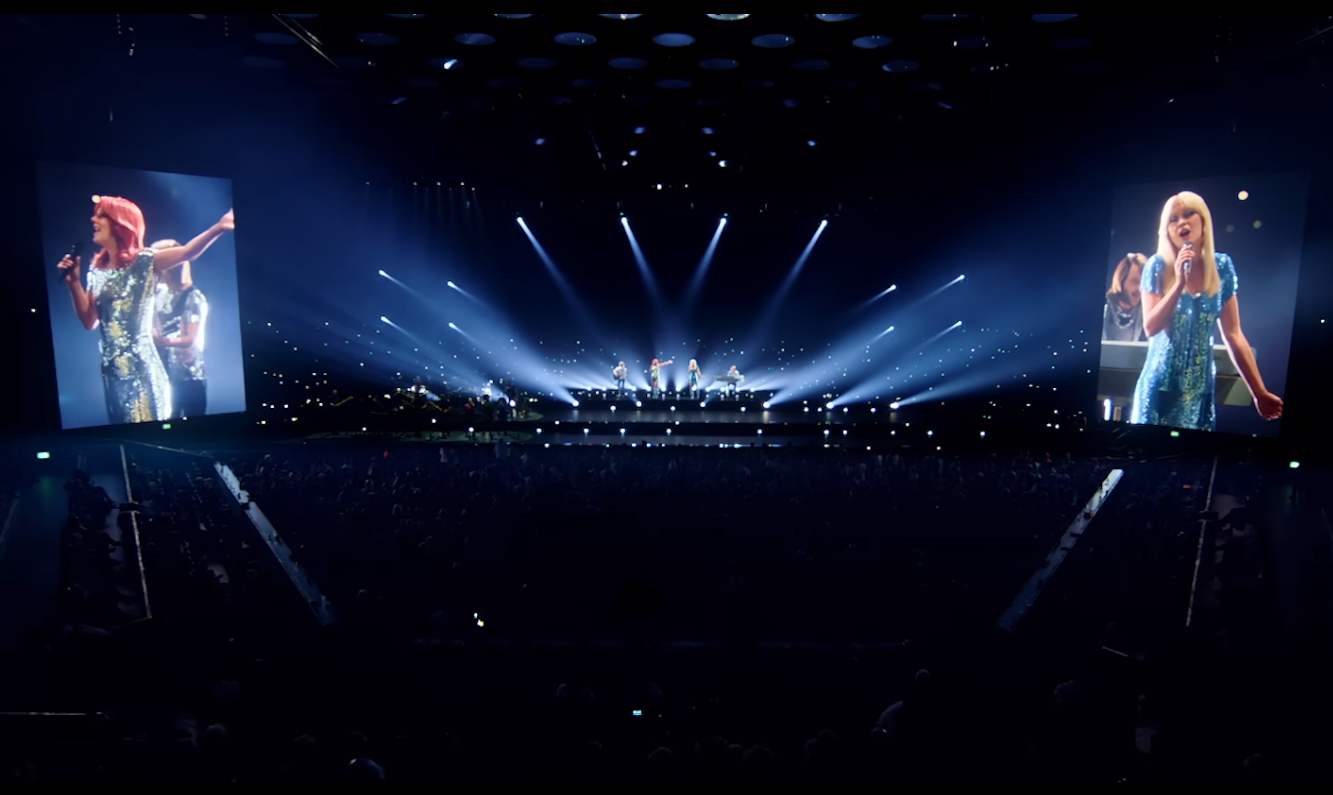
This is from the ABBA Voyage concert here in London. If you haven't heard of it, they've motion captured the original ABBA crew and produced a series of renders being played back like in a cinema, except with a live band and some more spectacle to make it feel more like a concert.
It's a combination of live and pre-rendered material. It is the closest example of where I'd like to take Ragdoll.
I want you to imagine none of it being pre-rendered. As you watch this next clip, I want you imagine two groups of performers
- One, the musicians performing the music
- The other, animators performing the animation
The ABBA crew is digital, but then there's a band of about 10 musicians still very much playing live. Like it naturally would at a theatre performance or ballet. Audiences already accept digital performers as digital, so what if we were to replace the pre-rendered footage with a couple of animators performing these characters live alongside the musicians?
And again, here's what the seating looks like for this concert.
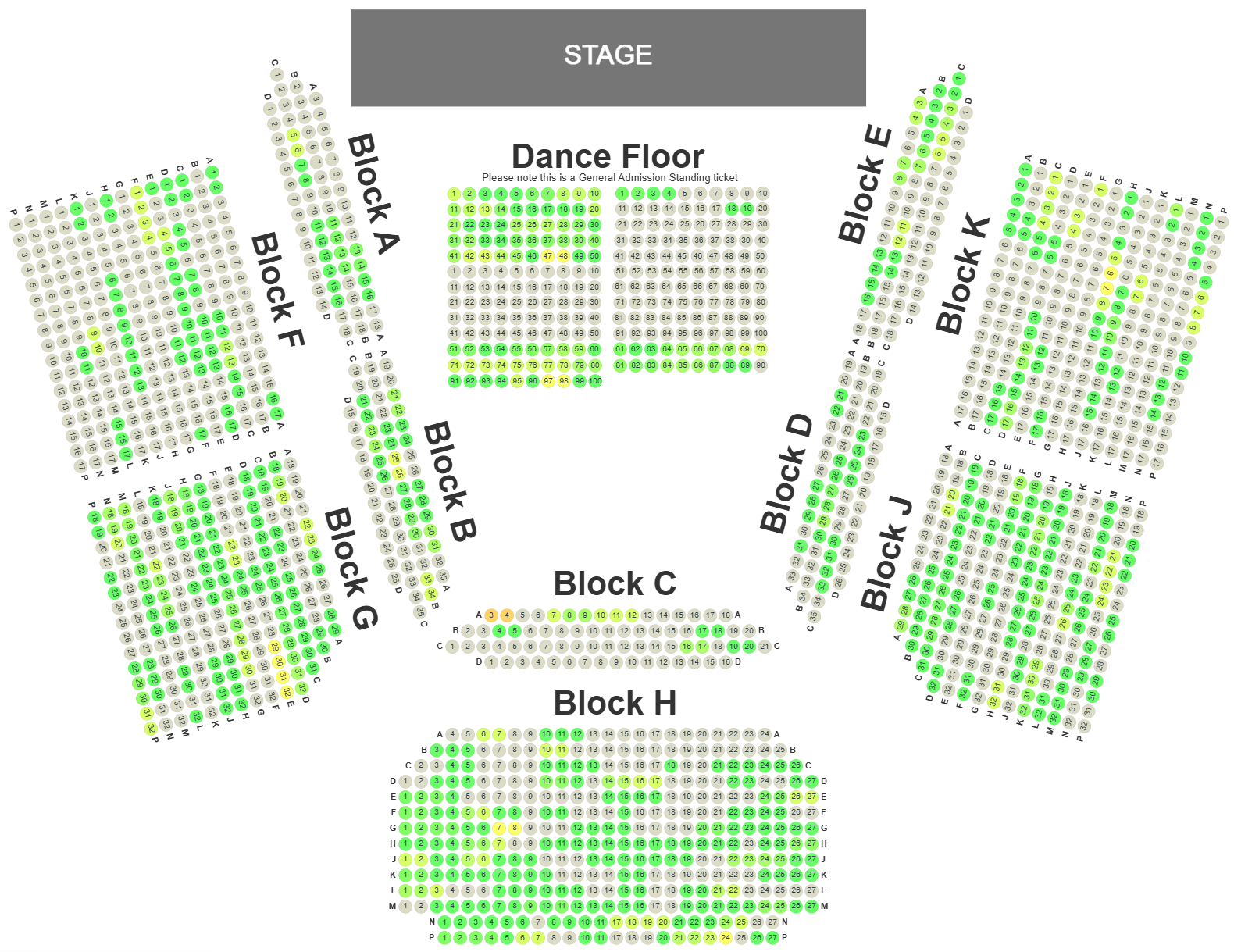
There are 1800 seats in this arena, each ticket selling for from £50 to £150, with 2 shows per day, 7 days a week. This show has been running for years. That's £360,000 per day or £10 million per month in revenue. People pay a lot for this and the cost of running is low.
They built this arena specifically for this show, but it doesn't have to get this involved. Here's another example of a smaller scale performance in Japan.
This one is real-time, but like the ABBA performance they are limited by their medium; this time being motion capture and what can be reasonably done with a human body in a suit.
8. Blender

Blender still rocks the older version of Ragdoll 3.0. Given the new advancements made for Ragdoll Standalone - in particular the integrated dependency graph and dirty tracking - Blender users can expect a significant performance leap.
9. Motion Builder
A new plug-in is in development, expect great things.
AI
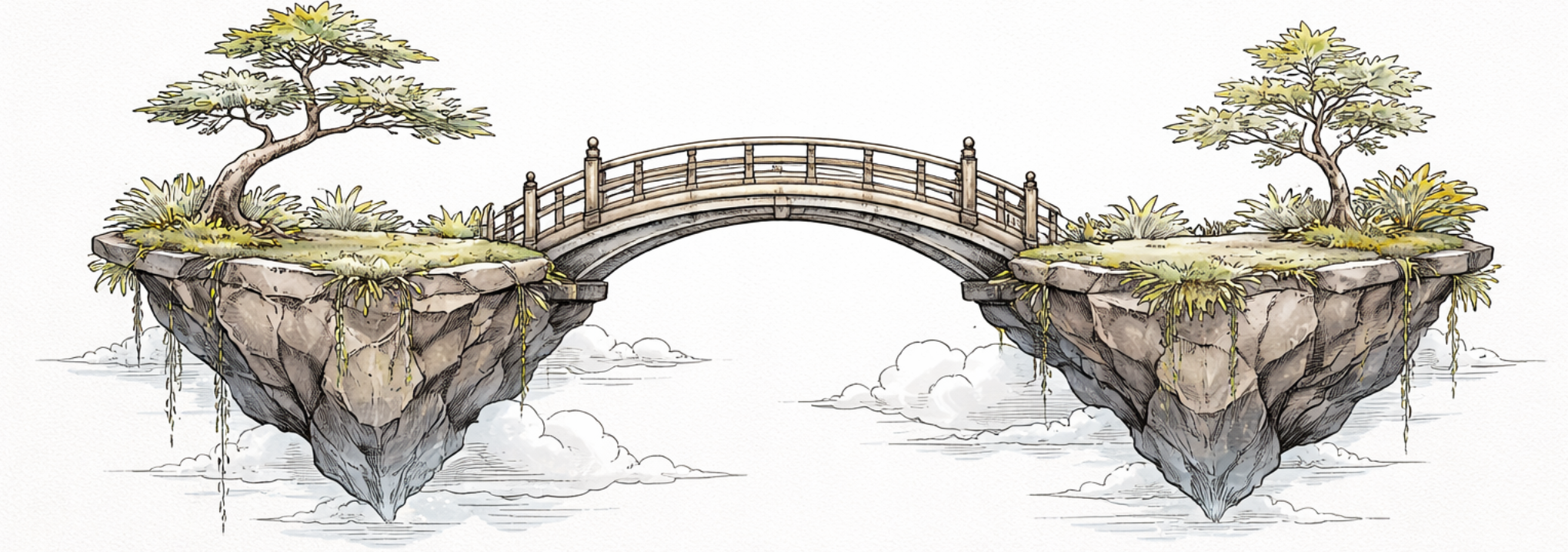
Generated by ChatGPT
"So" - takes a seat - "it looks like the near future may be dominated by AI-generated content."
Where does Ragdoll fit in?
TLDR
Interactivity. In transferring your vision into animation with as much human, real-time input as possible.
Ragdoll is about motion and will steer toward the interface between human and computer; towards real-time interactive control. To stream with maximum efficiency and least amount of effort the creative vision coming from your brain into your art.
This will involve software features, like clips and tracks, but also hardware like VR controllers and multi-touch. To bring your vision into the computer as interactively as possible.
We expect Maya to still be around for a little while longer, as will all (now) "traditional" content creation application, such as Blender and Motion Builder. But as we transition into a world where they may no longer be necessary, we will still focus on providing integrations with them so as to ease this transition for artists daring and persistent enough to survive this possible shift.
Reach Out
Interested in helping to shape where things are to go? Feel free to reach out.
If either Carlos Puertolas, Ryan Corniel or David Chapperino is reading this, then hello! I've got you on my list for outreach once we reach stage 7 and begin experimenting with live puppeteering. But it would be useful to get in touch before that point, to steer the ship given your prior experience.