2026.06.19 - Maya

Stable access and Maya 2027!
- ADDED Stable Access No more early access!
- ADDED Maya 2027 Now compatible with Maya 2027
- ADDED My Ragdoll User portal for your licences
- ADDED WebGPU backend Consistency and compatibility
- ADDED Pixel Perfect Shadows Independent of distance
- ADDED Color Compensation No more Color Management affecting the Manipulator
- ADDED Fanless Background Activity Keep Manipulator running indefinitely
- ADDED Default Material All gray!
- ADDED Smooth Manipulator Sooo many FPS
- ADDED Tooltips Ever wondered what a button does? Wonder no more!
- ADDED Infinite Scroll Precise control over pose history
- ADDED Transfer on Release Replace Maya's rig with Ragdoll
- ADDED Placement Gizmo Move things around, physics be-damned
- ADDED Attach Gizmo Keep parts connected while posing
Overview
A port of features originally written for Ragdoll Standalone to keep Maya fresh and up-to-date. 
Gosling
Another gem from Jason Snyman.
Hikari
Another cloth example on the forums!
Stable Access
We are out of Early Access!

Thanks to everyone who dared to dip their toes into early versions of Ragdoll 4.0. We're marching ahead with the remaining features for Ragdoll 4.0 listed here and Maya will continue to see these updates as well.
What this release means is that the version you're looking it is stable and production ready.
100% Backwards Compatiblity
Everything made since Ragdoll 2.0 (2022.01.17) continue to open and run identically in Ragdoll 2026.
100% Forwards Compatibility
Scenes saved in this version of Ragdoll still open in prior versions of Ragdoll.
Maya 2027
With support for Maya 2027, you can now rescue your motion maker "animations".
My Ragdoll
Another entry fresh out of early access, this one has been going for quite a while and is now ready for the public eye.
If you bought another seat of Ragdoll recently you may have noticed the purchase page has seen an update.

Now when you make a purchase, you'll be invited to an optional web frontend where you can manage both new and old licences.
Features
- Get an overview of your serials
- Download the latest Ragdoll releases
- Edit your contact details
- Edit your billing details of your subscriptions
- View and download your invoices and receipts
- Edit seat counts per serial
- Free up a seat by deactivating a machine
- Activate a serial offline
- Upgrade to a higher tier, for example Complete to Unlimited
- Renew lifetime serials, a.k.a. AUP or Annual Upgrade Program
- Add additional serials
- Add temporary seats onto a lifetime serial
- Cancel a subscription, or reinstate one you've scheduled to cancel
- Review your account activity
Existing Customers
If you've already purchased a licence, you'll most likely already have an account ready for you to login to. Try Forgot Password to login for the first time.
If you made a purchase the old fashioned way - invoice and email - ping us and we'll get you setup on this new platform!
Manage Serials
Manage your serials from one convenient location.
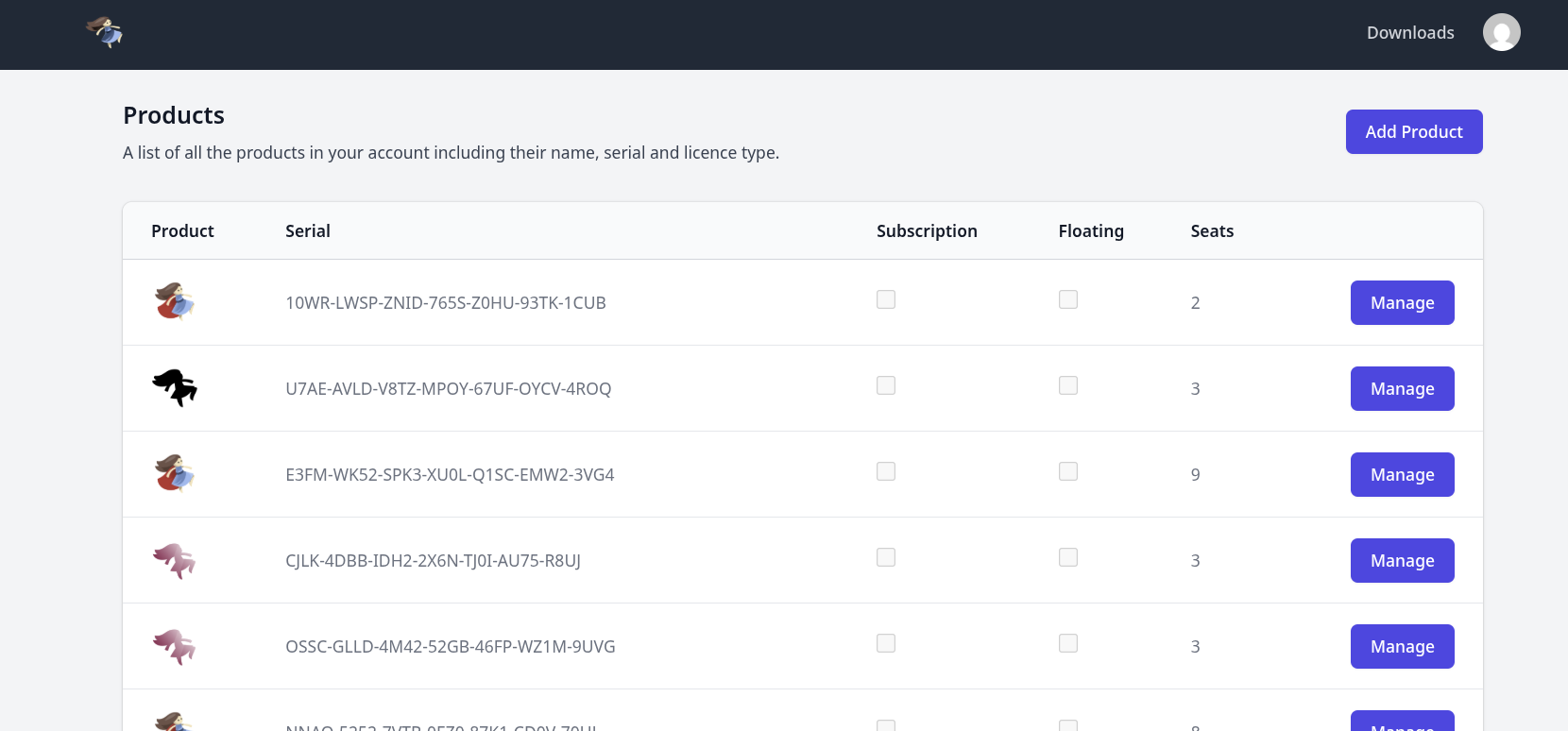
Remote Deactivation
Manage renewals, seat counts, remote deactivations and your purchase receipts in one place, per serial.
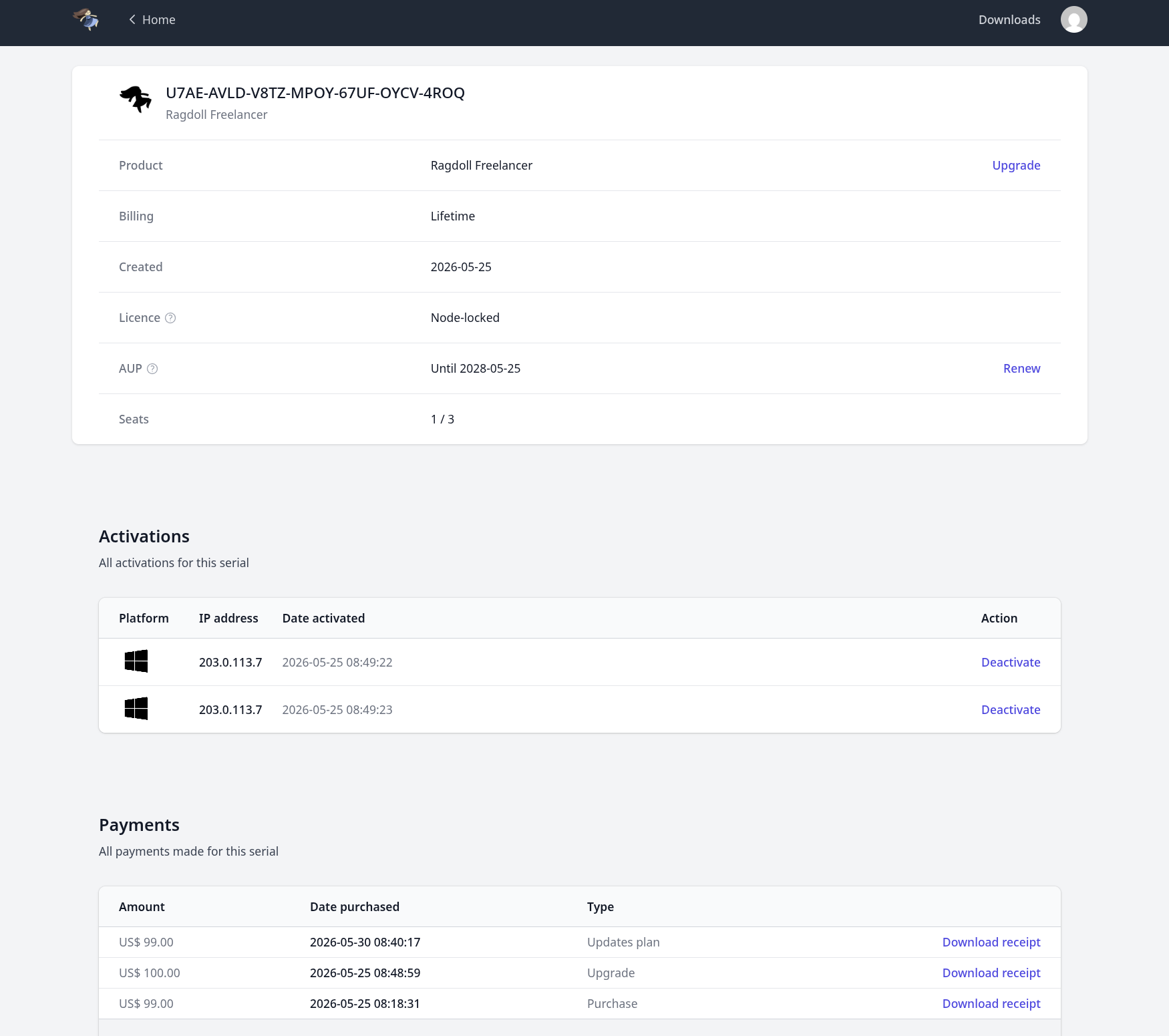
Upgrade Personal to Freelancer
Upgrade from one tier to another.
- Personal
- Freelancer
- Complete
- Unlimited

Renew your AUP
Renew your annual upgrade program, a.k.a. AUP.

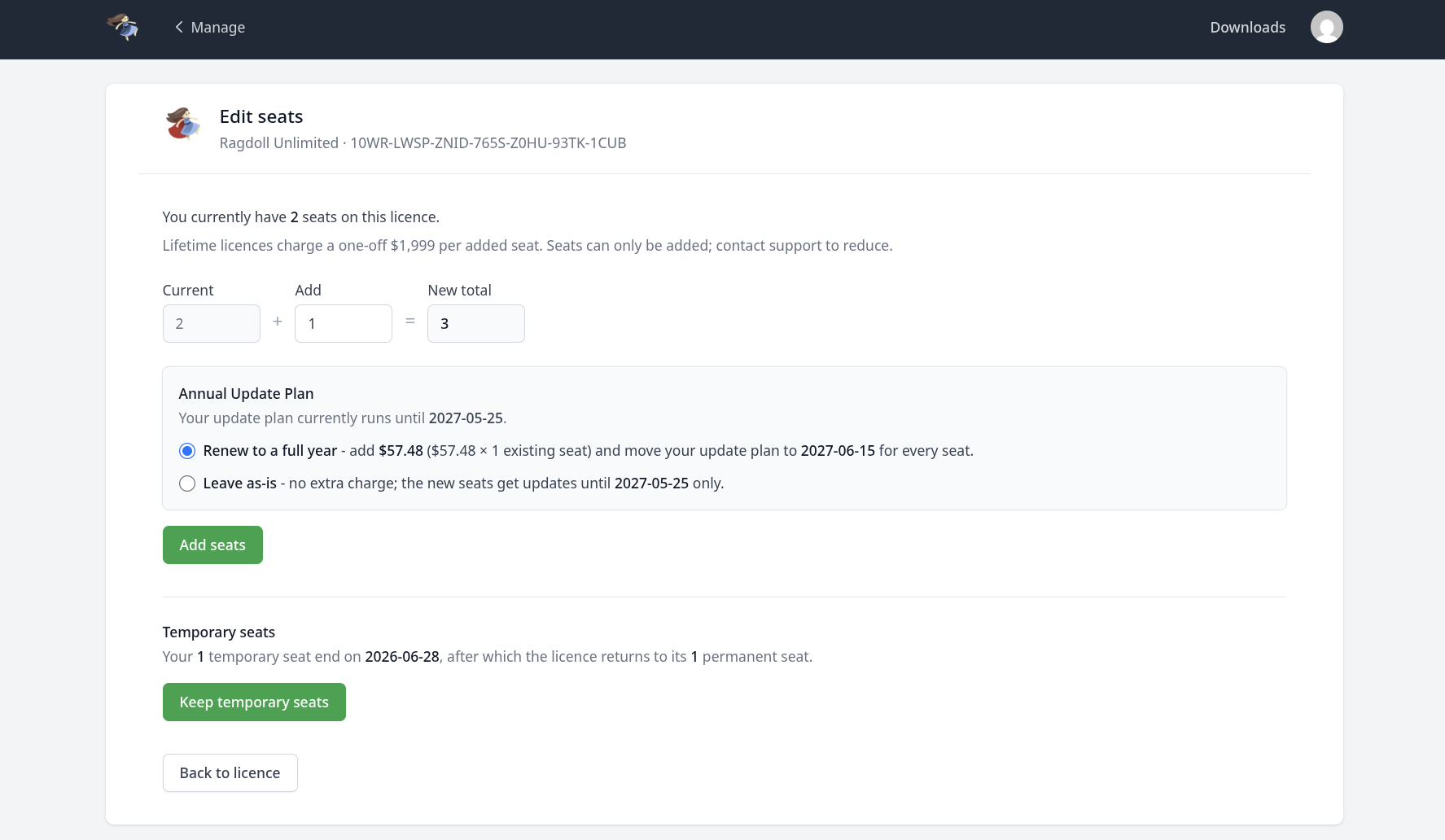
Temporary Seats
Add temporary subscription seats to your lifetime licence, perfect for when production scales during those peak months.
WebGPU Backend
The last released boosted rendering performance and quality, and here we are doing it again.
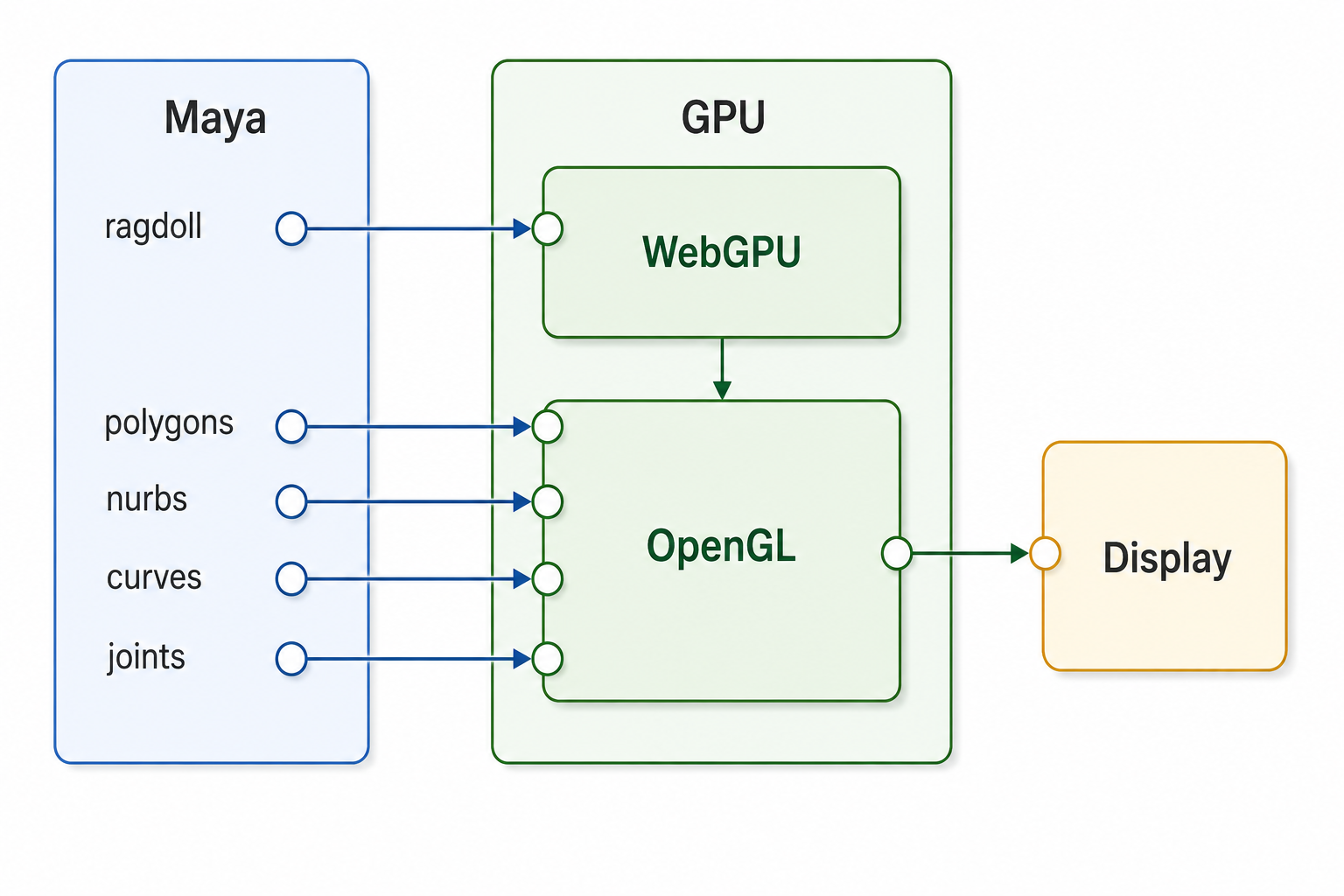
This time, we're leaving the dedicated OpenGL 4 and DirectX 11 backends behind and setting course on the future proof and cross-platform low-level rendering API WebGPU. On Windows, this translates to Vulkan on Windows and Linux and native Metal on MacOS.
In practice, this means:
- Greater consistency across platforms, e.g. Mac users now have raytraced soft shadows
- Greater stability, as the API itself is more vocal and less accepting of things that work on some platforms but not others; meaning we have no choice but to deliver solutions that work equally on each platform.
- Greater development speed; no more duplicating our efforts across 4 separate APIs - OpenGL, WebGL, DirectX and Metal.
- Greater performance; as a lower level API, it means greater control over the underlying hardware, which means more juice for you.
Backwards Compatibility
If for whatever reason nothing is rendered, revert back to the legacy backend with:
import os
os.environ["RAGDOLL_RENDERER"] = "kLegacy"
Prior to loading the plug-in. And let us know this is happening, so we can patch this up. The legacy path will eventually be removed entirely.
Technical Details
Notes from the founder
Hi, it's me. Marcus. :)
Because this was an interesting challenge that been on my mind for the longest time, take another look at the diagram above. This is a long long ways from where Ragdoll started, using Maya's MUIDrawManager API to produce shapes of our own in the Maya viewport.
// From Ragdoll 2020.10.16
void SceneNodeDrawOverride::drawShapes(const MDagPath& /*objPath*/,
                                       MHWRender::MUIDrawManager& painter) {
    // ...

    painter.setLineWidth(1.0f);

    for (auto rigidEntity : g.registry.view<RigidComponent, SceneComponent>()) {

        // ...

        painter.setColor(color);
        painter.setDepthPriority(MHWRender::MRenderItem::sDormantFilledDepthPriority);
        painter.setPaintStyle(MUIDrawManager::kShaded);

        if (desc.type == GeometryDescriptionComponent::Box) {
            const MVector center { mtm.getTranslation(MSpace::kTransform) };
            const MQuaternion rotation = mtm.rotation();

            painter.box(
                center + shapeDrawable.offset, // center
                MVector(0.0f, 1.0f, 0.0f) * rotation,  // up
                MVector(1.0f, 0.0f, 0.0f) * rotation,  // right
                desc.extents.x * 0.5,
                desc.extents.y * 0.5,
                desc.extents.z * 0.5,
                true            // filled
            );
        }

        // ...
    }
}
The advantages of that was that everything you drew automatically fit with the rest of Maya's rendered geometry. Light, shadow and screenspace effects were all coming along for free, and the code involved was tiny.
You should definitely start here with your plug-in!
With Ragdoll 2.0, we started rendering using the graphics API directly - OpenGL and DirectX. The advantage was total control over the end result, which is how we managed to get the performance we did. But it also meant rewriting a lot of what Maya already did for free, like light, shadow and screenspace effects.
But worst of all, it meant doing this twice. Once for OpenGL, and once for DirectX. Because when Maya is launched under DirectX, there is no OpenGL and vice versa. To make matters worse, OpenGL on Mac was limited to a version of OpenGL from 2010. That's 16 years ago!
And then along came Ragdoll Web, the version of Ragdoll running in your browser. That meant no OpenGL, no Metal and no DirectX but instead WebGL. And then Ragdoll Standalone, to run directly on your hardware, outside of both Maya and browser. For that we need yet integration with Metal.
So we were left with either duplicating our work 5 times
- DirectX 11
- OpenGL 4.6
- OpenGL 4.1
- Metal
- WebGL
And if we ever wanted the best performance on Windows, we would need yet another for DirectX 12 or Vulkan. It just doesn't make sense. So instead, we draw everything with a lower-level API called WebGPU and pass it to OpenGL or DirectX last minute.
OpenGL then is effectively getting a pre-rendered screenshot of what Ragdoll produced and composites that over the Maya viewport. Except it's not just a screenshot, but a full framebuffer, with depth taken into account such that it still renders behind the Maya geometry as you would expect.
The UI and outlines are rendered into their own separate "screenshots" and composited to appear on-top of everything, as you would expect.
The end result is one rendering implementation and two thin compositors whose shaders are literally:
void main() {
    vec4 c = texture(uScene, vUV);
    if (c.a == 0.0) discard;
    fragColor = c;
}
That is, if Core rendered a fully transparent pixel, ignore it. Otherwise, plop it in. It's the simplest shader in the world, even the 16 year old OpenGL on MacOS can pull it off.
You'd think that you would pay the cost of this additional compositing. But rendering a single texture on a single triangle is effectively free on any hardware from the past 20 years. Triangles are measured in the millions, textures in the thousands.
Furthermore, because WebGPU is lower-level than OpenGL it means greater control over hardware which means greater opportunity for performance. Which is why the end result is up to 2x faster than before; from 0.9 ms/frame to 0.4 ms/frame in the Manikin scene.
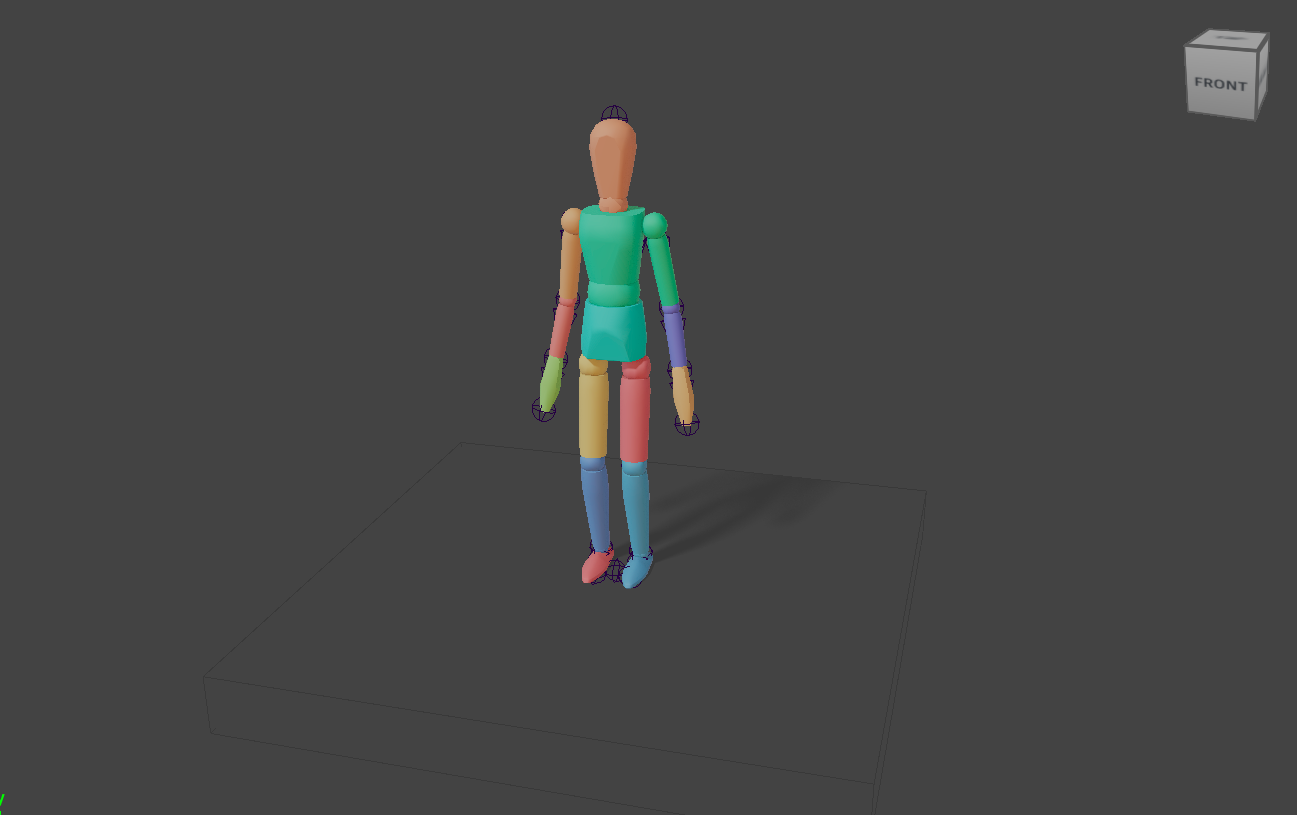
Pixel Perfect Shadows
Traditional shadows render a 2D texture from the perspective of each light source and then cross-references the pixels of those rendered from the main camera to determine whether an object is visible from that light (in light) or not (in shadow).
This is fast and effective. It has been and continues to be the main method with which to render shadows in real-time to this day - virtually every game uses this technique, with a tweak or two to hide some of its warts.
One of those warts is called "shadow acne" and is due to a lack of resolution in the texture generated from that light source.
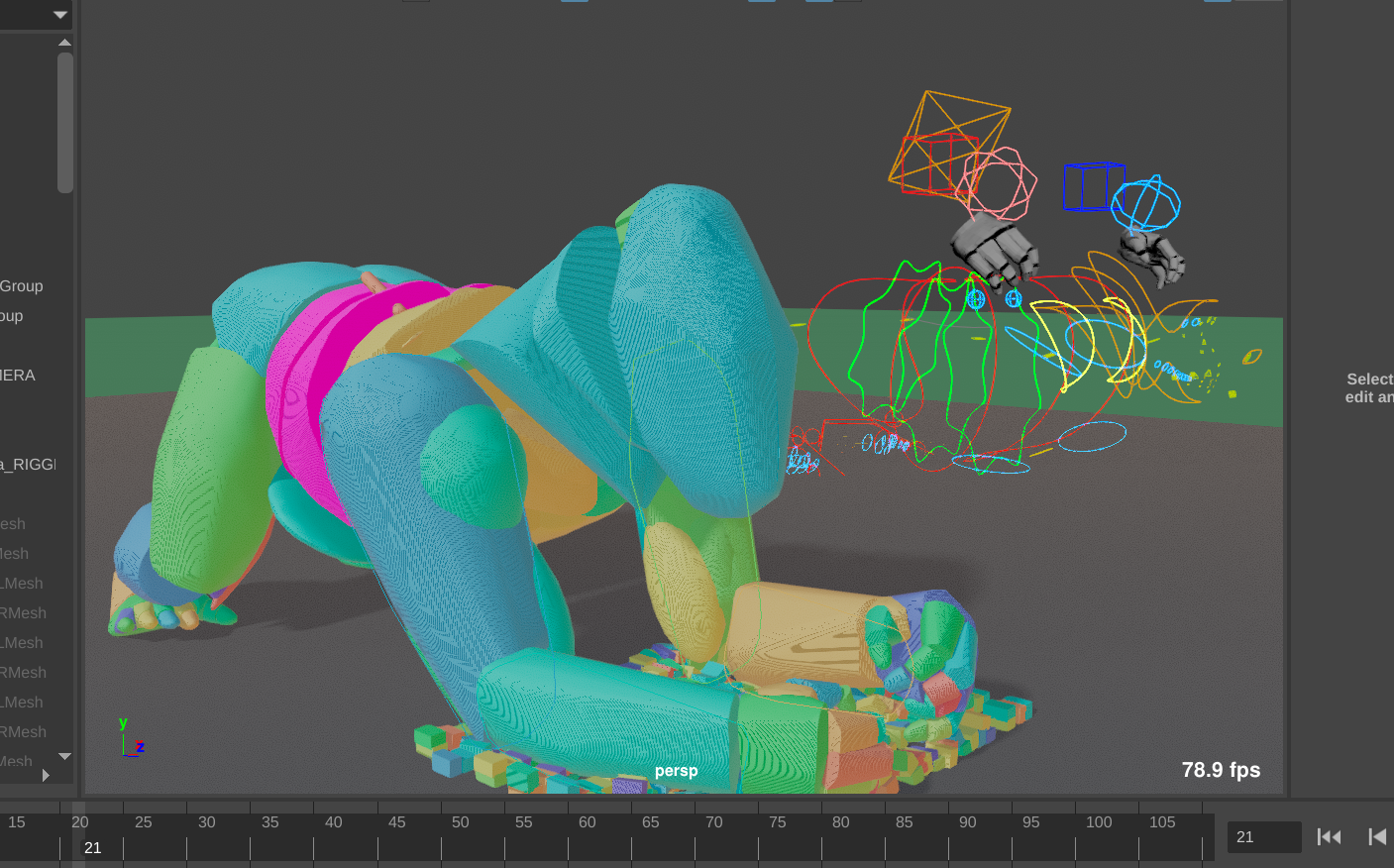
To compensate for this, we can offset the shadow slightly, until eventually all shadow acne is gone.
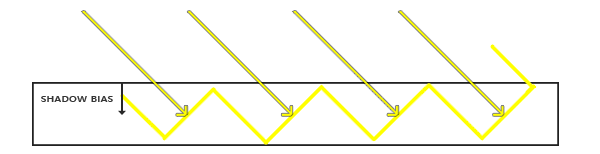
But now the opposite wart appears, called "peter panning". As the name suggests is when a shadow appears slightly disconnected from the contact point.
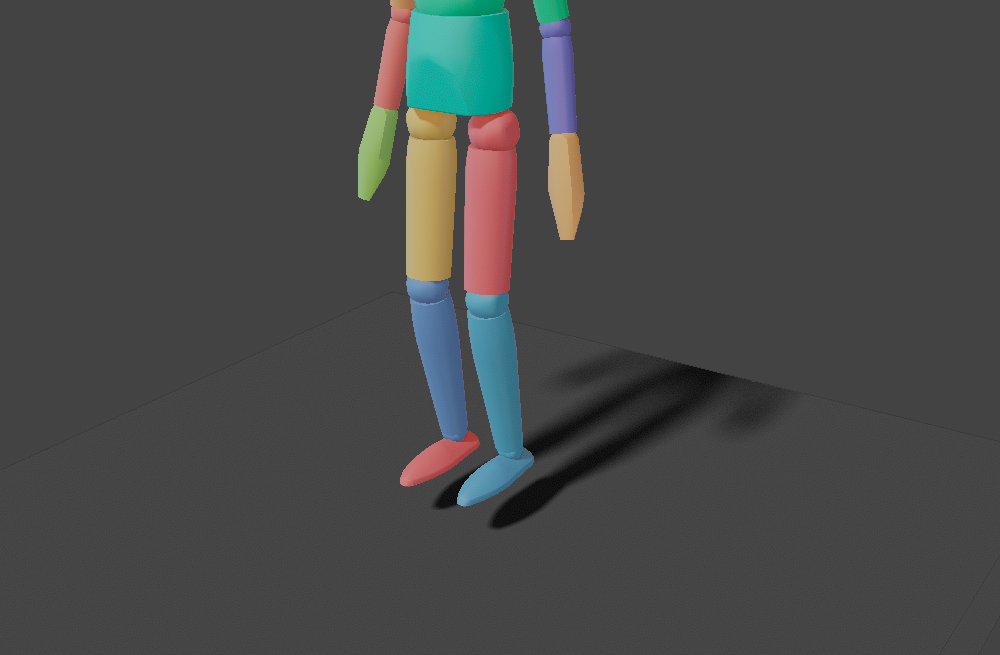
So now you are stuck between a rock and a hard place. There is no one true value, as it depends on not only the resolution you choose - more resolution = greater precision = less performance - but also the angle of the light. A greater angle means a greater need for bias.
Basically, it sucks.
Offline renders like we do for film doesn't bother with this, because it can just raytrace the shadows directly, like real light would. No 2D approximation, no hacks. But raytracing is slow. Especially compared to these "rasterised" shadows.
Unless you optimise and optimise and optimise. Which is what we did for the first early access release of Ragdoll.
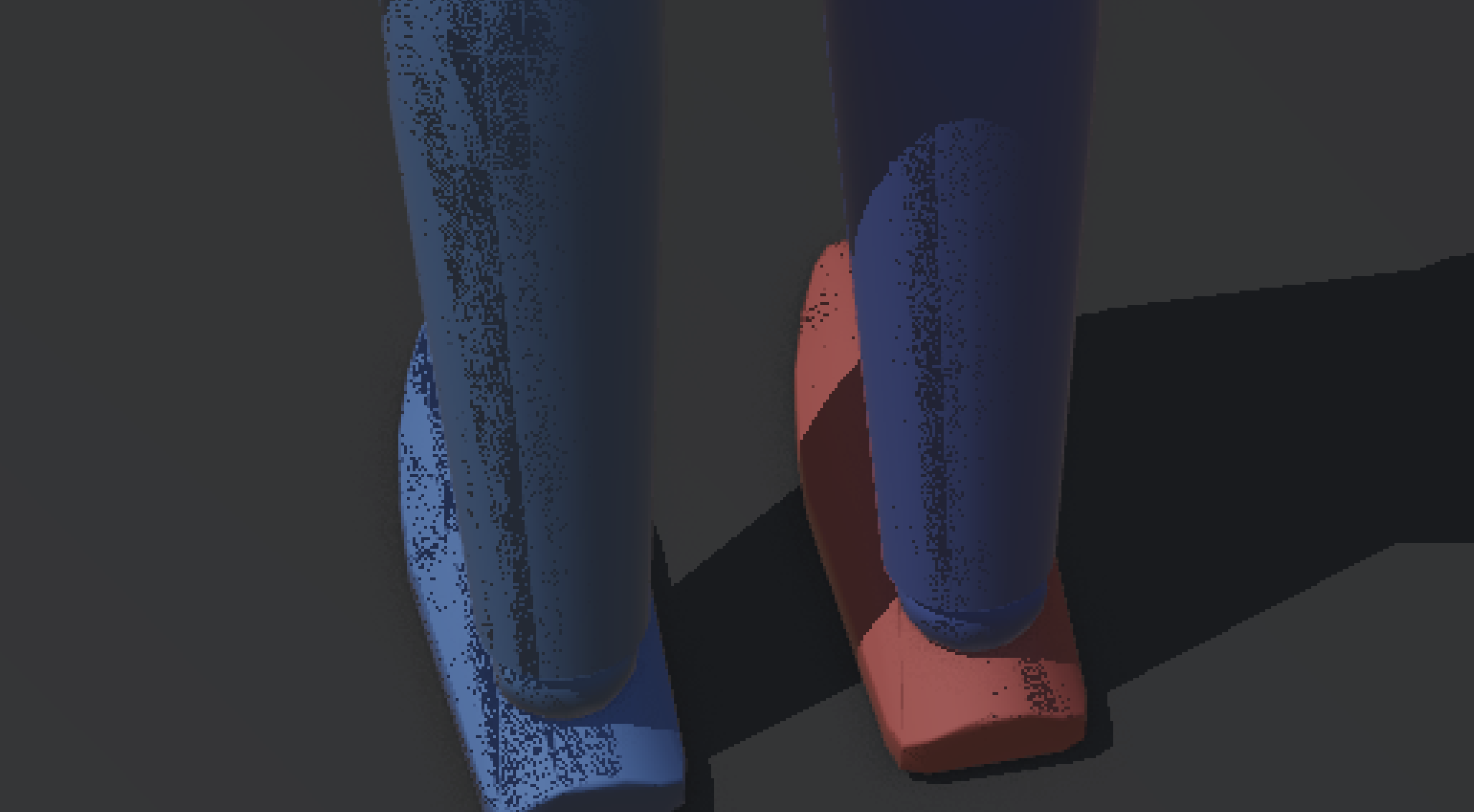
But, although we get the benefits of raytracing like soft shadows, we are still left with either shadow acne or peter panning. No good!
Until today.
Shadows are now infinitely accurate, regardless of light direction or camera distance.
Color Compensation
Maya 2024+
This feature depends on functionality first introduced in Maya 2024.
Ragdoll now accounts for your Maya Color Management setting.
- Use
RAGDOLL_NO_CM_COMPENSATIONto disable compensation - Use
RAGDOLL_CM_COMPENSATE_3Dto compensate the Ragdoll 3D render too - Use
RAGDOLL_CM_DEBUGto print helpful messages in the terminal to debug any issues
Before
Notice how Maya applies color management to everything.
After
And now it doesn't. Magic.
Custom LUT
If you are a studio with custom LUTs, this should still work! The compensation is a bruteforce render and reversal of your LUT, rather than something analytical or based off of pre-defined profiles of OCIO.
If not, please do let us know and we'll patch that up.
Technical Details
Because this was an interesting challenge, for those of you interested here's what happens:
Ragdoll is rendered using MPxDrawOverride, just like any other node in your Outliner. The override is designed to draw 3D elements that participates in your scene, and we're using it to draw both 3D and 2D elements for UI.
UI is simply drawn very close to the camera, such that it appears "on top". But nonetheless, they are 3D triangles and Maya treats everything in the scene as something in need of color management.
When you then activate color management, Ragdoll renders a version that is the inverse of the graded output, such that when Maya goes ahead and grades it it effectively re-reverses (un-reverses?) our reverse grade, meaning we end up with our original pixels.
But it couldn't do it blindly, because we still want the actual 3D elements affected by color management, which is fine because we already composite 3D and 2D in two separate passes and only the 2D pass gets the reverse-tonemap and presto. You get exactly what you expect to get.
Fanless Background Activity
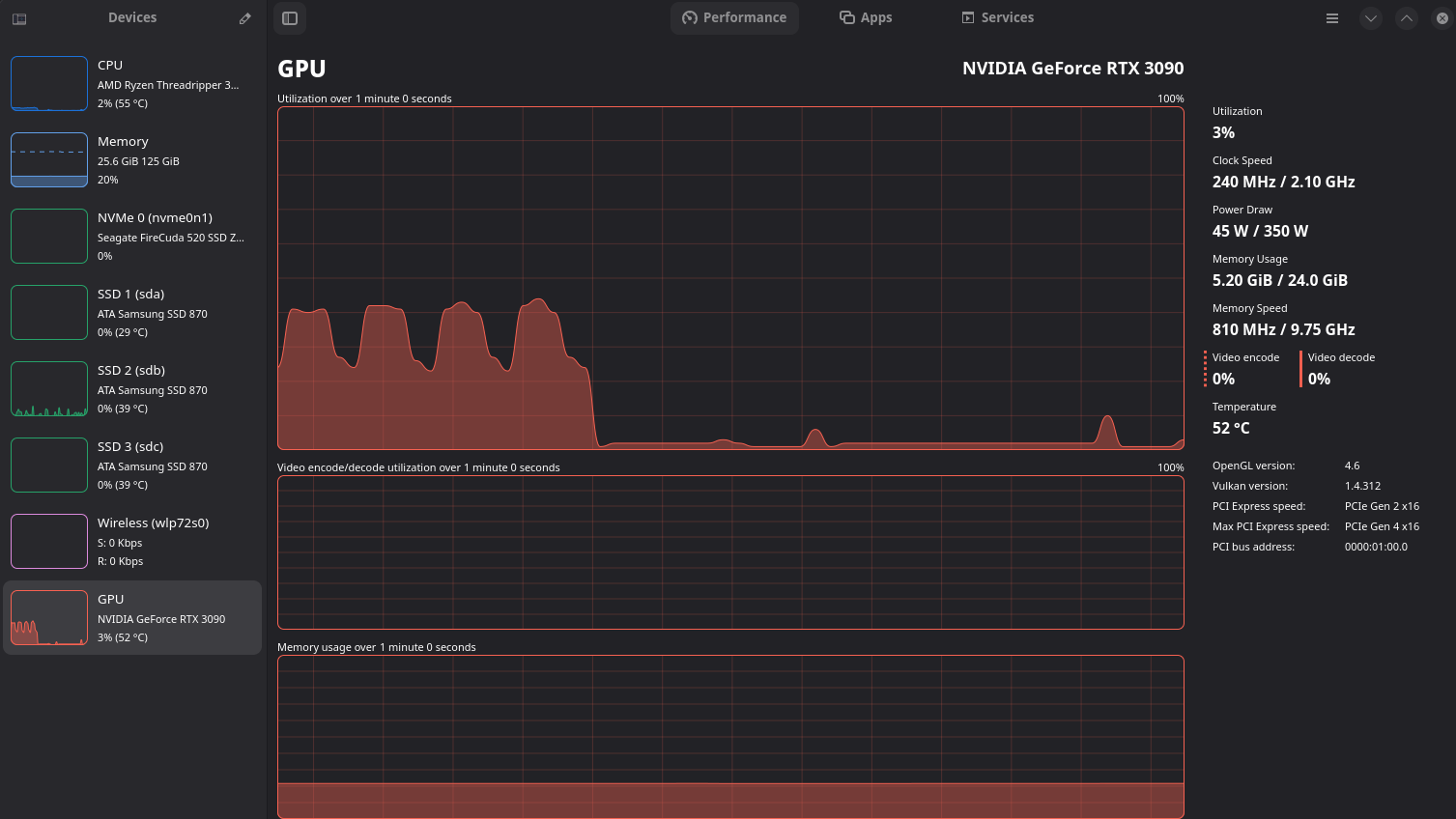
The Manipulator no longer consumes CPU and GPU cycles when the window is in the background. Less noise, less power draw. What's not to like.
Smooth Manipulator
Previously locked at 60 fps, typically trimmed to 30 fps, Ragdoll now renders at the capacity of your hardware for a much smoother experience.
Tooltips
Hover over any element and get a description and video of what it is.
- Hover for 2 seconds, get a "quick" tip
- Keep hovering for 5 seconds, get a "detailed" tip
- Hold
Ctrlwhile hovering, get a "rich" tip, with video
Infinite Scroll
Pose for however long you want and retain fine-grained control over your simulation timeline.
Default Material
Colors are great, but sometimes all you want is gray gray gray.
New Gizmos
There are two new gizmos to play around with in Pose Mode.
- Placement
- Attach
Transfer on Release
Automatic Snap to Simulation while posing, to replace your typical Maya posing.
Things to note.
- The
Transfer on Releasesetting callsSnap to Simulationeach time you release your cursor - The
Pausebutton is what synchronises Ragdoll to your animation, until you start posing
This way, you can use Ragdoll to tweak your existing poses, which in turn keyframes your rig, without having to actually interact with your rig.
Placement Gizmo
Position your character, or parts of the character without physics.
Control the axis and plane to translate on.
Attachment Gizmo
Keep two Markers attached temporarily while you pose.
Next Up
We're doing private betas of Ragdoll Web as we speak.
- Reach out if you would like to participate
It will be with you shortly.